Relationships
CBOM automatically links related cryptographic assets based on their cryptographic properties. These relationships are visible in the asset detail panel and can be explored across the inventory.
Relationship Types
Section titled “Relationship Types”| Relationship | How It’s Determined |
|---|---|
| Issuer Chain | Certificate’s issuer field matches another certificate’s subject |
| Key Pair | Certificate, public key, and private key share the same key pair fingerprint |
| Keystore Containment | Assets extracted from the same keystore file (JKS, PKCS#12) |
| Signer | Code signature links to the signing certificate |
Key Pair Linking
Section titled “Key Pair Linking”When a certificate, public key, and private key all derive from the same cryptographic key pair, CBOM links them automatically. In the asset detail panel:
- The Key Pair Fingerprint field is shown as a clickable link
- Clicking it navigates to the Inventory filtered to show all assets sharing that key pair
- The Relationships section shows a tree view of related assets
This works even when assets are discovered by different scanners from different locations — as long as the underlying key material matches.
Certificate Chains
Section titled “Certificate Chains”For certificates, CBOM builds the issuer chain:
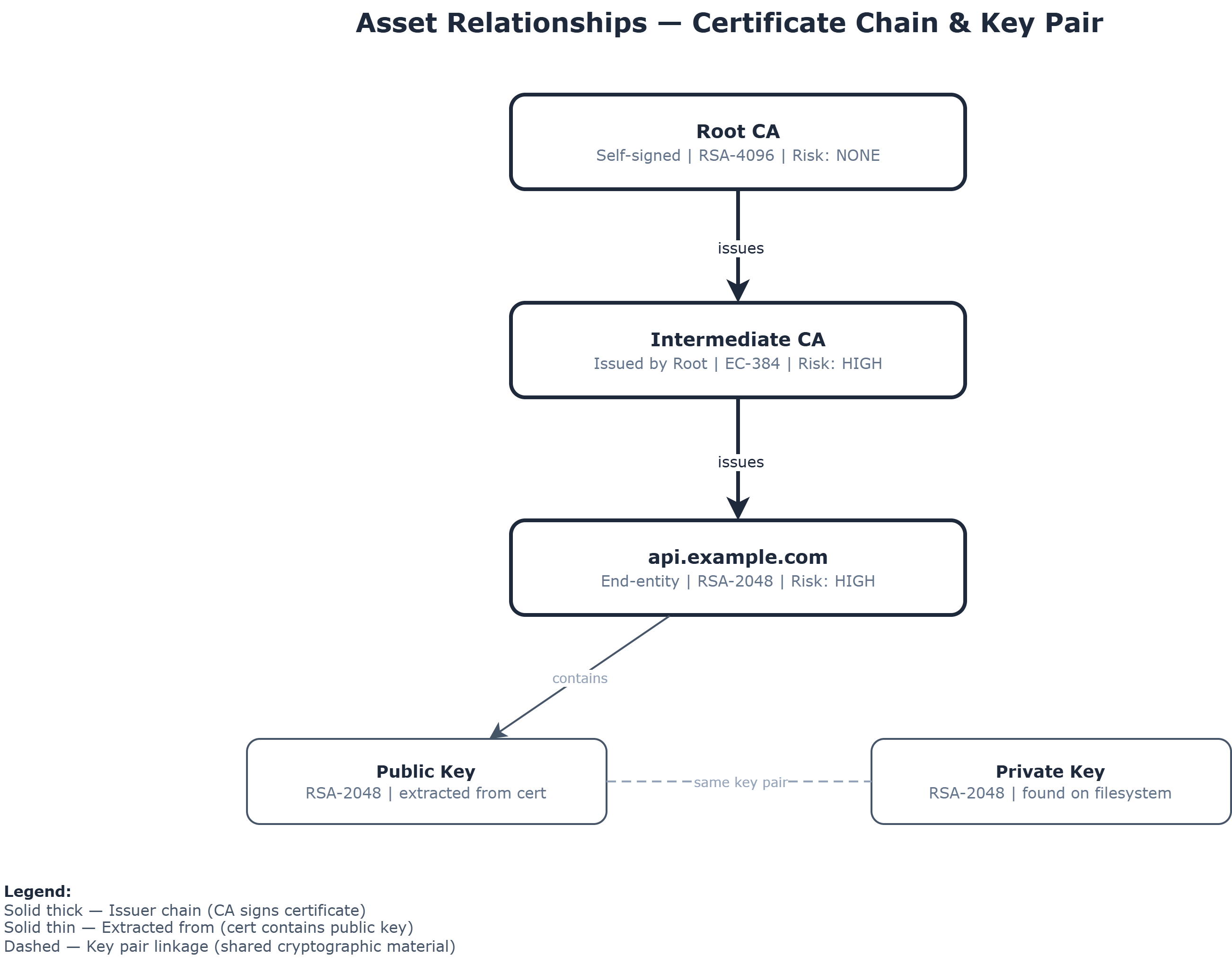
The detail panel shows:
- Issuer Cert Fingerprint — links to the issuing CA certificate
- Issued by this CA — lists certificates this CA has signed
Rebuilding Relationships
Section titled “Rebuilding Relationships”If relationships appear incomplete (e.g., after importing data or fixing a linking bug), you can trigger a rebuild:
- In the Inventory page, click the chain-link icon in the toolbar
- This re-runs the relationship linker across all assets
Related
Section titled “Related”- Inventory — Browse assets and their relationships
- Import/Export — CycloneDX export includes dependency graph