Certificates
Certificates
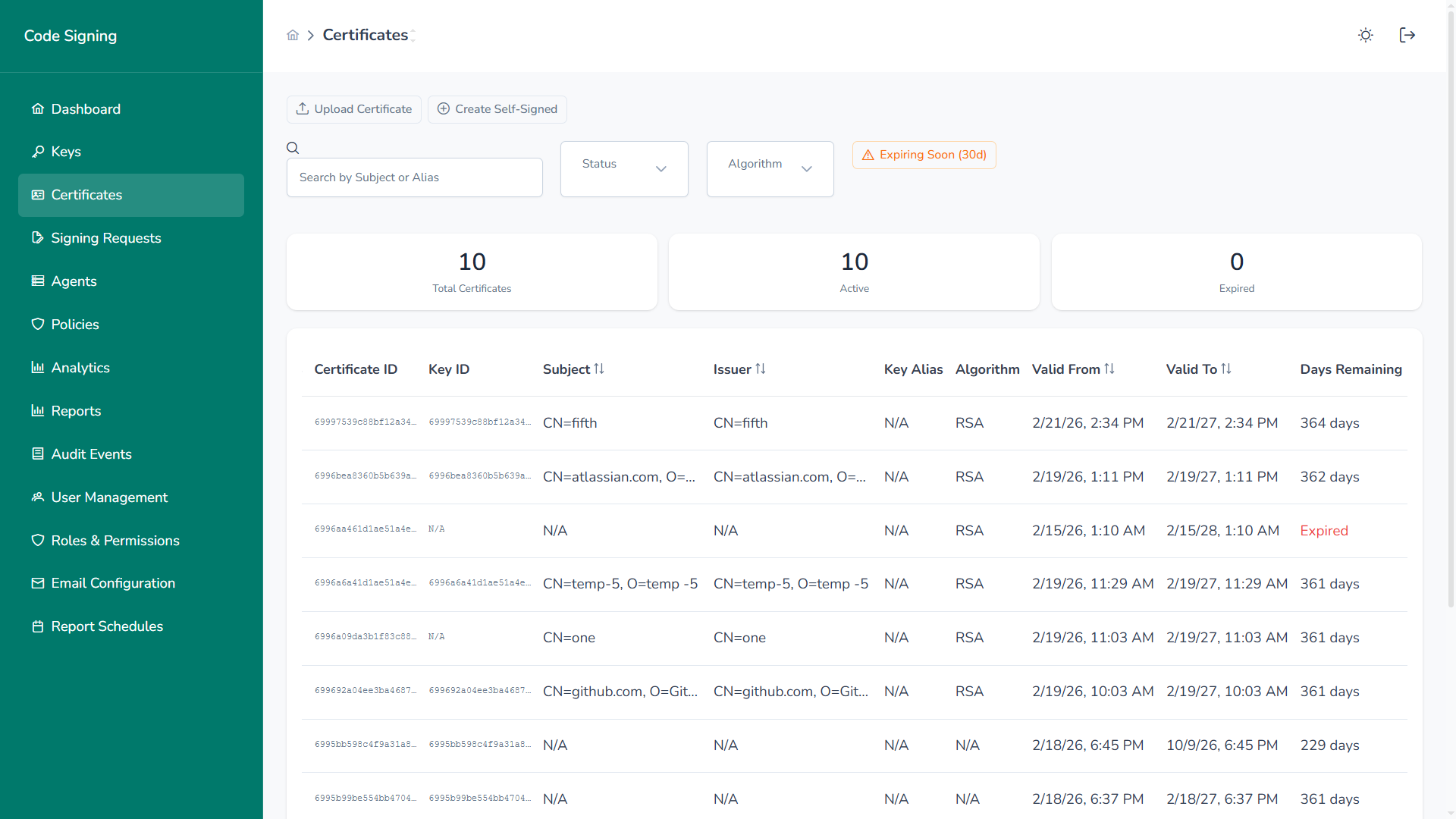
Section titled “Certificates”The Certificates module manages X.509 certificates associated with signing keys.
Overview
Section titled “Overview”Administrators can:
- Upload externally issued certificates
- Create self-signed certificates
- Monitor certificate validity and expiration
- Activate, deactivate, or revoke certificates
- Track certificate-to-key associations
Certificates define the trust identity used during signing operations.
Certificate Inventory
Section titled “Certificate Inventory”Each certificate entry includes:
- Key ID
- Subject (CN, O, OU, etc.)
- Issuer
- Associated Key Alias
- Algorithm
- Valid From / Valid To
- Days Remaining
- Status (Active, Expired, Revoked)
Summary metrics provide:
- Total Certificates
- Active Certificates
- Expired Certificates
An “Expiring Soon (30d)” indicator proactively highlights certificates approaching expiration.
Create Self-Signed Certificate
Section titled “Create Self-Signed Certificate”Generate self-signed certificates directly within the platform.
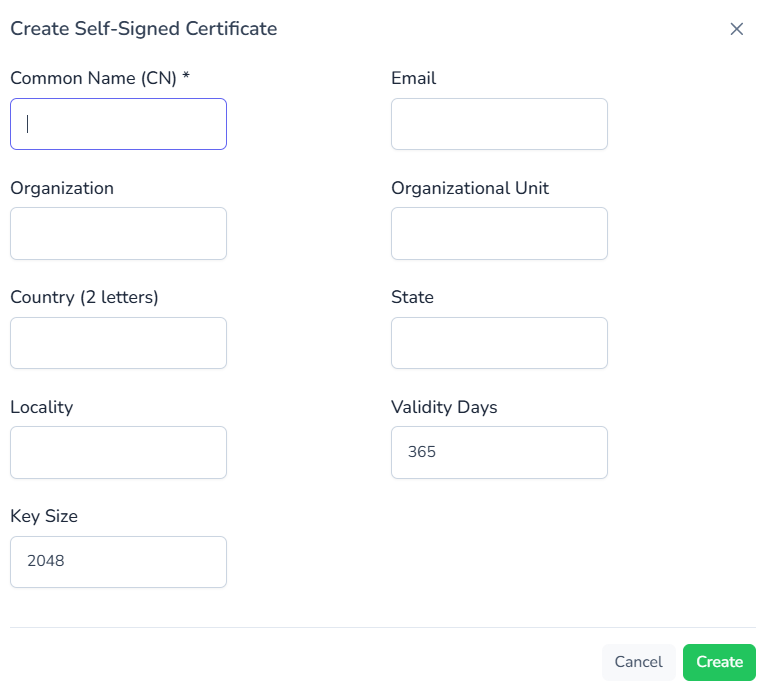
Required fields include:
- Common Name (CN)
- Organization
- Organizational Unit
- Country (2-letter code)
- State / Locality
- Validity Period
- Key Size
Typical use cases:
- Internal signing environments
- Testing and staging
- Controlled enterprise deployments
Upload Certificate
Section titled “Upload Certificate”Import externally issued certificates.

Supported formats:
- PEM
- DER
Uploaded certificates are validated before activation to ensure structural integrity and compatibility.
Certificate Actions
Section titled “Certificate Actions”Available lifecycle operations include:
- View Details – Inspect certificate metadata
- Download – Export certificate for distribution
- Deactivate – Temporarily disable usage
- Revoke – Permanently invalidate certificate
All actions are fully audited.
Expiration Monitoring
Section titled “Expiration Monitoring”The platform continuously tracks:
- Expiration date
- Remaining validity days
- Expired status
Expired certificates cannot be used for signing operations.
Governance & Security
Section titled “Governance & Security”- Certificate lifecycle is tightly coupled to key governance
- Revocation events are logged
- Status changes are audited
- Expired certificates are automatically restricted