Keys
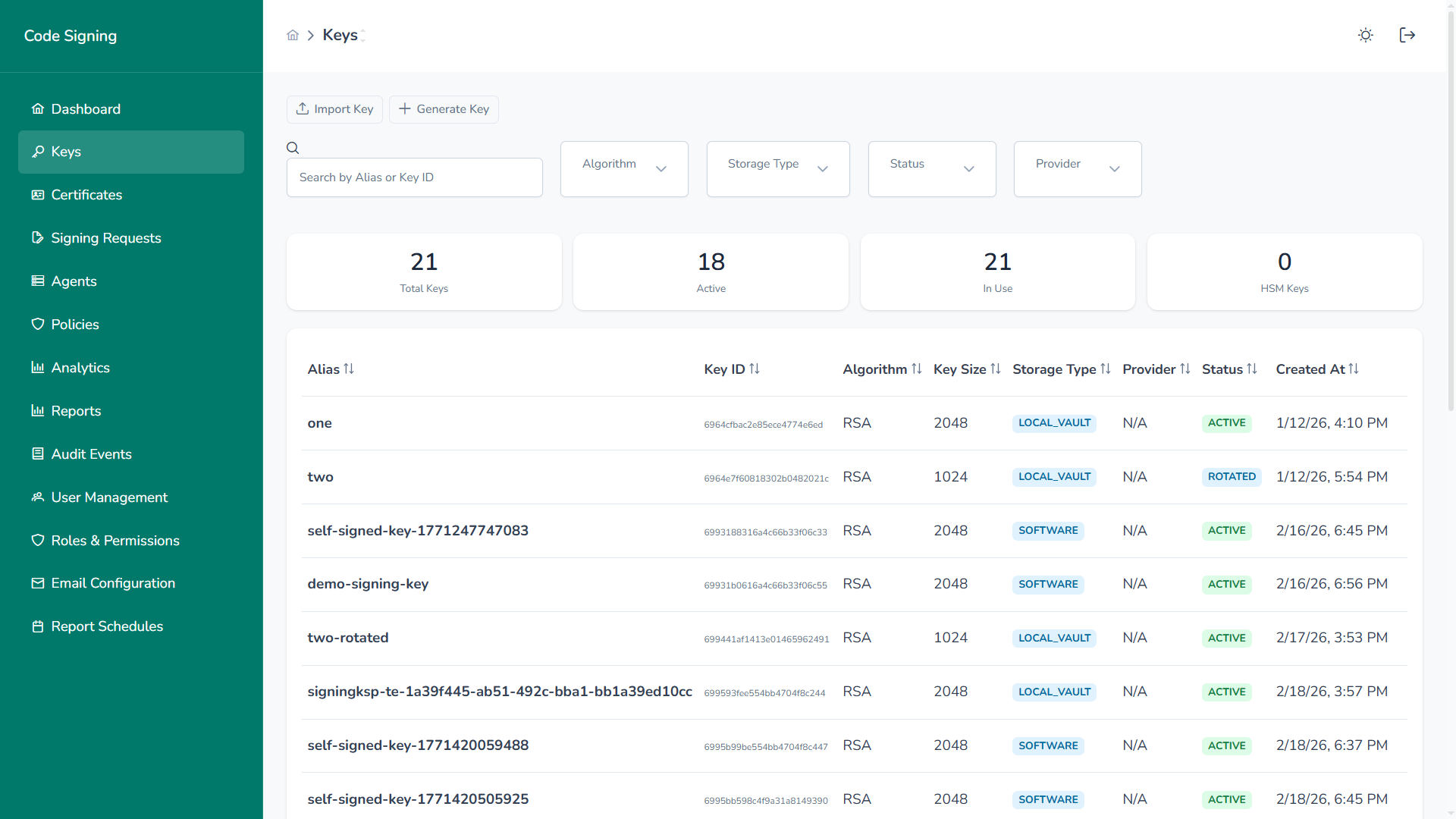
The Keys module provides centralized lifecycle management for all cryptographic signing keys used by the platform.
Overview
Section titled “Overview”Administrators can:
- Generate new signing keys
- Import existing private keys
- Rotate key material
- Revoke or deactivate keys
- Monitor status and usage
- Filter across large key inventories
This module enforces governance, auditability, and strict access control over private key operations.
Inventory & Visibility
Section titled “Inventory & Visibility”Each key entry includes:
- Alias – Human-readable identifier
- Key ID – Unique internal identifier
- Algorithm – RSA, ECDSA
- Key Size – 1024 / 2048 / 4096 bits
- Storage Type – Software or Local Vault (HSM-backed)
- Provider – Associated cryptographic provider
- Status – Active, Inactive, Rotated, Revoked, Expired
- Created At
- Expires At
- Policies Linked
Summary cards provide real-time visibility into:
- Total Keys
- Active Keys
- Keys In Use
- HSM Keys
Generate New Key
Section titled “Generate New Key”Create cryptographic key pairs directly within the platform.
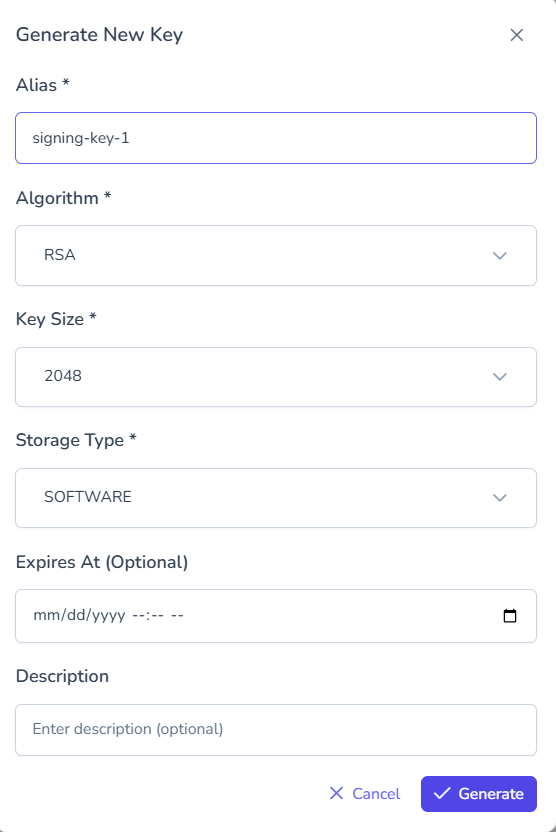
Configuration includes:
- Alias
- Algorithm
- Key Size
- Storage Type
- Optional expiration
- Description
If stored in Local Vault (HSM-backed), private key material never leaves the boundary.
Import Existing Key
Section titled “Import Existing Key”Import externally generated private keys.
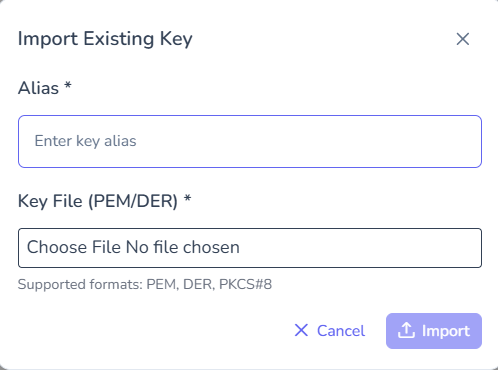
Supported formats:
- PEM
- DER
- PKCS#8
Imported keys are encrypted at rest and immediately governed by platform policies.
Filtering & Search
Section titled “Filtering & Search”Efficiently locate keys using structured filters.
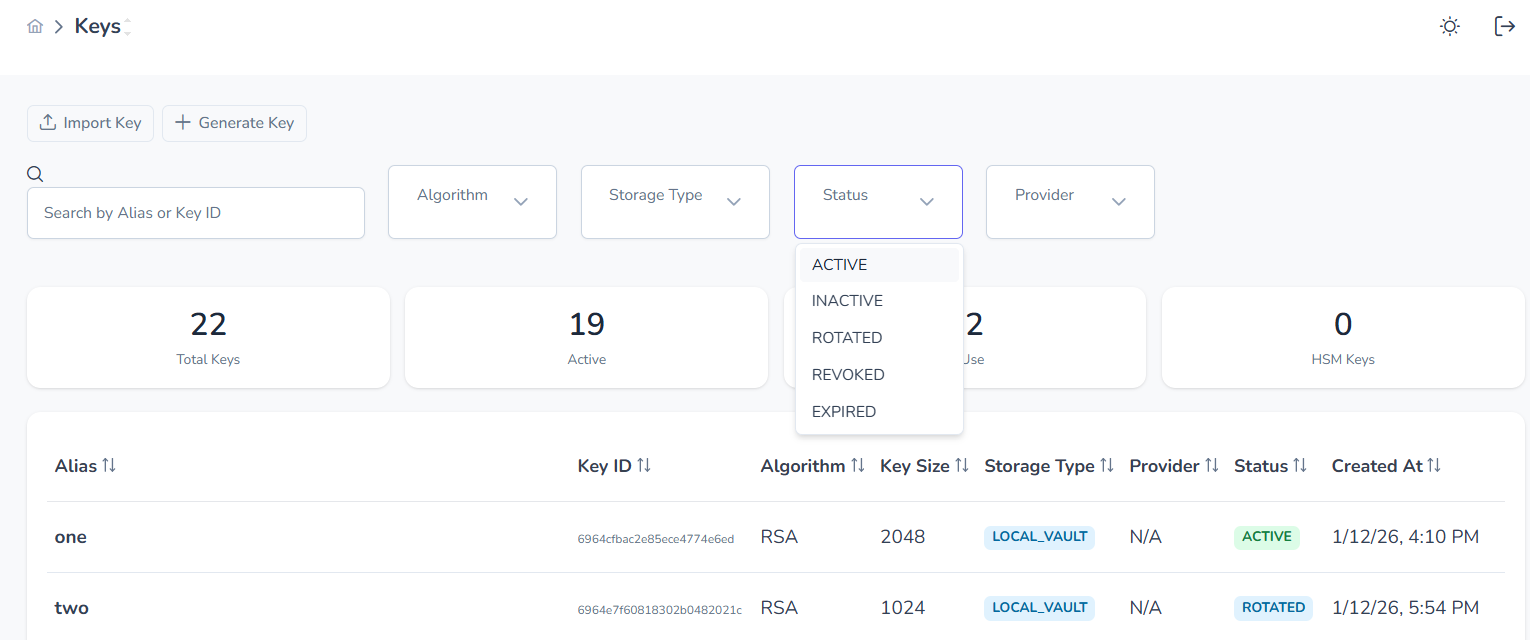
Filter by:
- Algorithm
- Storage Type
- Status
- Provider
Search by Alias or Key ID.
Key Details
Section titled “Key Details”Inspect complete metadata for any key.
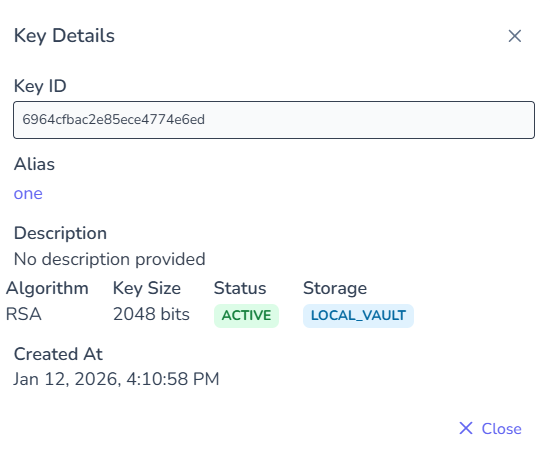
Details include:
- Algorithm
- Key size
- Storage boundary
- Status
- Creation timestamp
Lifecycle Operations
Section titled “Lifecycle Operations”Accessible via the actions menu.
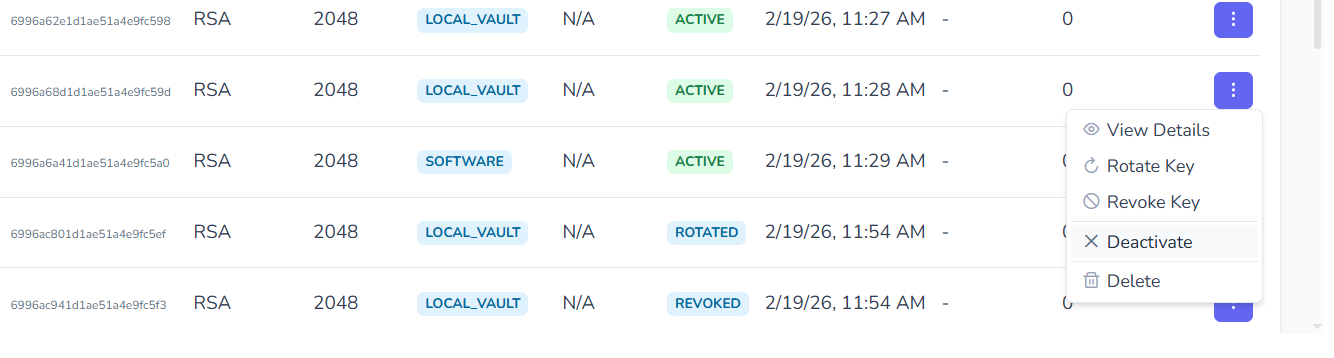
Rotate Key
Section titled “Rotate Key”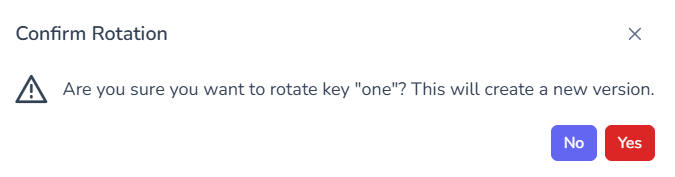
- Creates new key version
- Preserves historical reference
- Maintains audit trail
Revoke Key
Section titled “Revoke Key”- Permanently disables signing
- Cannot be reversed
- Audit record preserved
Deactivate / Activate
Section titled “Deactivate / Activate”- Temporarily disable key usage
- Useful during maintenance windows
Delete Key
Section titled “Delete Key”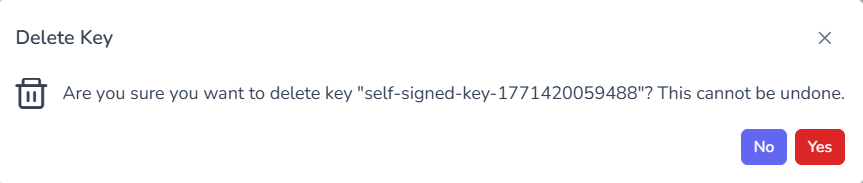
- Permanent removal
- Confirmation required
- Operation is irreversible
Governance & Security Controls
Section titled “Governance & Security Controls”- Private keys remain within defined storage boundary
- Policy enforcement occurs before signing operations
- All lifecycle events are audit logged
- Revoked keys cannot be reused
- Rotation maintains cryptographic continuity