SSH-KLM Agent
SSH-KLM Discovery Agent
Section titled “SSH-KLM Discovery Agent”The QCecuring SSH-KLM Agent enables secure, distributed SSH key discovery across your infrastructure.
It runs locally on servers and endpoints to:
- Scan filesystem locations for SSH keys
- Extract key metadata (fingerprint, type, owner, path)
- Submit findings securely to the SSH-KLM platform
- Maintain periodic heartbeat with the backend
The agent does not transmit private key material.
Only SSH key metadata (fingerprint, location, attributes) is sent to the platform.
Supported Platforms
Section titled “Supported Platforms”- Windows Server 2016+
- Linux (Ubuntu, RHEL, Debian, SUSE)
- macOS (limited support)
Prerequisites
Section titled “Prerequisites”- Java 21 or later
- Network access to SSH-KLM backend
- Bootstrap token (for first registration)
Optional (Production):
- mTLS client certificate
- HTTPS-enabled backend
Installation
Section titled “Installation”Download the agent from:
Agent Management → Download AgentOr obtain the JAR file:
ssh-klm-agent-0.0.1-SNAPSHOT.jarRunning the Agent
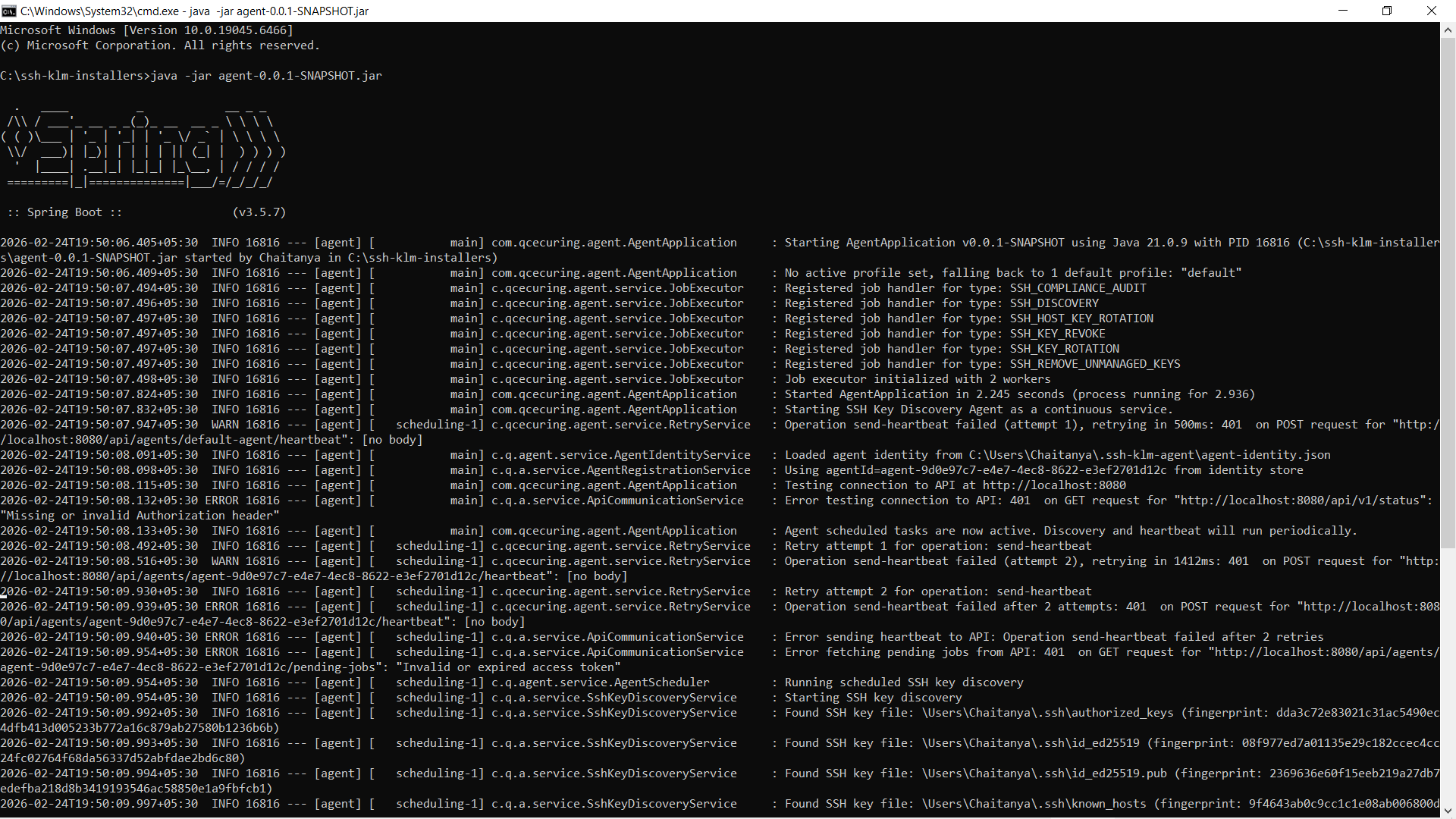
Section titled “Running the Agent”java -jar ssh-klm-agent.jarWhen started successfully, the agent:
- Registers using bootstrap token
- Receives a unique
agentId - Begins periodic heartbeat
- Starts scheduled SSH key discovery
First-Time Registration (Bootstrap)
Section titled “First-Time Registration (Bootstrap)”The agent requires a bootstrap token for initial registration.
Example:
java -jar ssh-klm-agent.jar \ --backend.url=http://localhost:8080 \ --bootstrap.token=YOUR_BOOTSTRAP_TOKENRegistration flow:
- Agent sends bootstrap token to backend
- Backend validates token
- Backend issues agent identity + access token
- Agent stores credentials locally
- Future communication uses issued access token
Configuration
Section titled “Configuration”The agent can be configured via:
agent.properties- Environment variables
- Command-line arguments
Example Configuration (agent.properties)
Section titled “Example Configuration (agent.properties)”backend.url=http://localhost:8080
# Discovery configurationdiscovery.interval.minutes=5discovery.scan-user-homes=truediscovery.scan-system-ssh=true
# Authenticationbootstrap.token=CHANGE_ME
# Optional mTLS (recommended in production)backend.mtls.enabled=falsebackend.mtls.client-cert-path=backend.mtls.client-cert-password=backend.mtls.ca-cert-path=
logging.level=INFOEnvironment Variables
Section titled “Environment Variables”export BACKEND_URL=http://localhost:8080export BOOTSTRAP_TOKEN=your_bootstrap_tokenexport DISCOVERY_INTERVAL_MINUTES=5In production environments, use secure secret management for tokens and certificates.
Running as a Service
Section titled “Running as a Service”Windows
Section titled “Windows”Install as a Windows service using NSSM or similar.
Manage using:
Start-Service QCecuring-SSH-KLM-AgentStop-Service QCecuring-SSH-KLM-AgentGet-Service QCecuring-SSH-KLM-AgentLinux (systemd)
Section titled “Linux (systemd)”Create a systemd unit file and manage using:
sudo systemctl start ssh-klm-agentsudo systemctl status ssh-klm-agentsudo systemctl enable ssh-klm-agentDiscovery Model
Section titled “Discovery Model”What the Agent Scans
Section titled “What the Agent Scans”~/.ssh//etc/ssh/authorized_keysknown_hosts- Host key files
What is Collected
Section titled “What is Collected”- SHA-256 fingerprint
- Key type (RSA, ED25519, ECDSA, DSA)
- Bit length
- File path
- File permissions
- Owner
- Host metadata
What is NOT Collected
Section titled “What is NOT Collected”- Private key material
- SSH passphrases
- Command history
- User passwords
Communication Model
Section titled “Communication Model”The agent communicates with the backend via:
- HTTPS (default)
- Optional mTLS (recommended in production)
- JWT-based authentication after registration
Heartbeat interval: configurable (default 1 minute) Discovery interval: configurable (default 5 minutes)
Verification
Section titled “Verification”To verify the agent is running:
- Ensure the process is active
- Confirm the Registered Agents page shows status
ACTIVE - Check discovery logs in the dashboard
- Confirm heartbeat updates
Security Best Practices
Section titled “Security Best Practices”- Rotate bootstrap tokens after initial deployment
- Enable HTTPS on backend
- Enable mTLS in production
- Restrict outbound network access
- Run agent with least privilege required for SSH directory access
Next Steps
Section titled “Next Steps”- Register agents on additional hosts
- Enable scheduled reports
- Configure alert notifications
- Monitor discovery logs