Users & Roles
Users & Roles
Section titled “Users & Roles”The Users & Roles module provides comprehensive identity and access management (IAM) for the platform. It enables organizations to implement strict role-based access control (RBAC), enforce least privilege, and maintain clear segregation of duties.
The Users interface allows administrators to create, manage, and monitor platform users.
Users Inventory
Section titled “Users Inventory”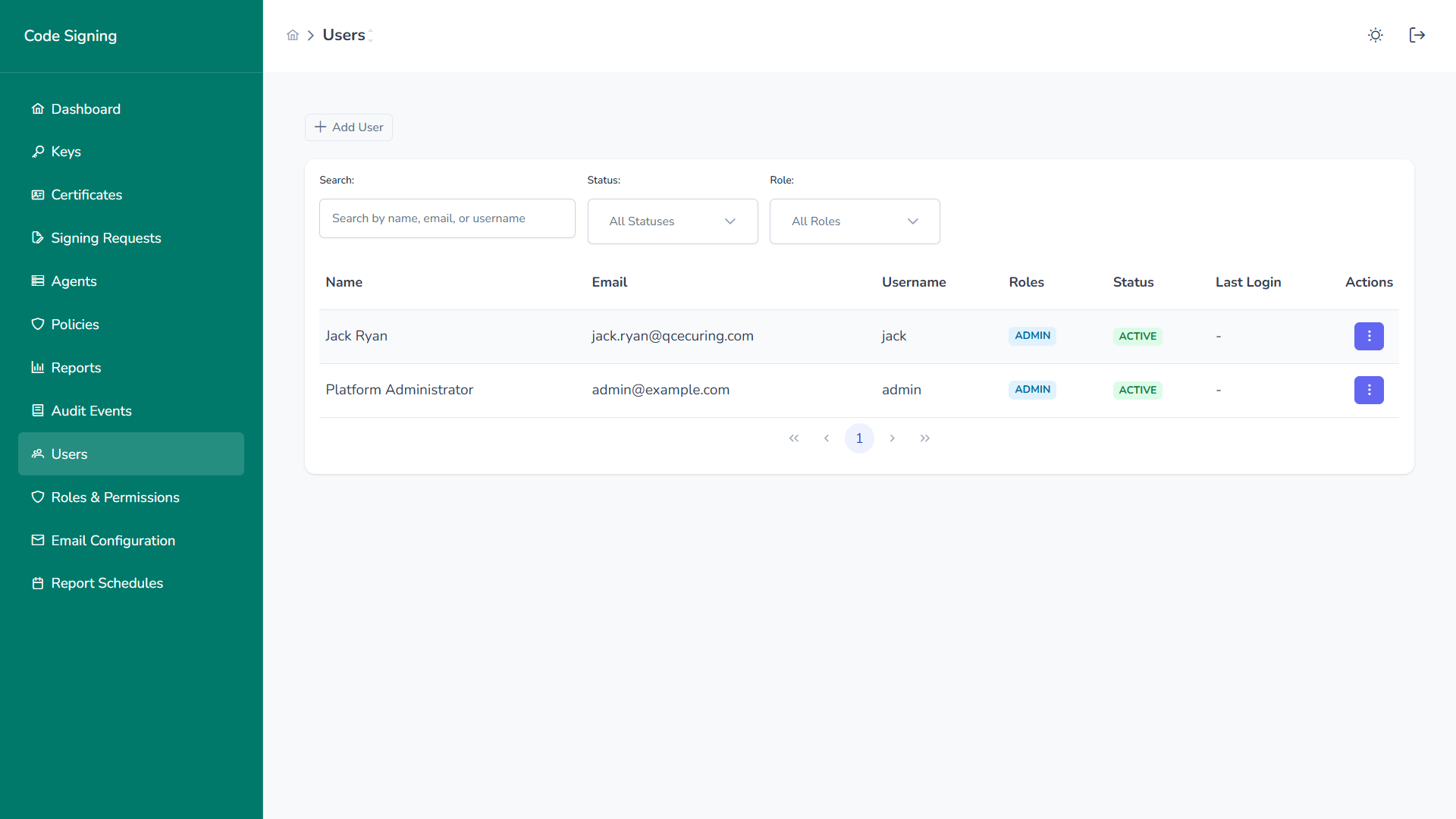
The user list provides:
- Name
- Username
- Assigned Roles
- Status (Active / Inactive)
- Last Login
- Quick action menu
User Actions
Section titled “User Actions”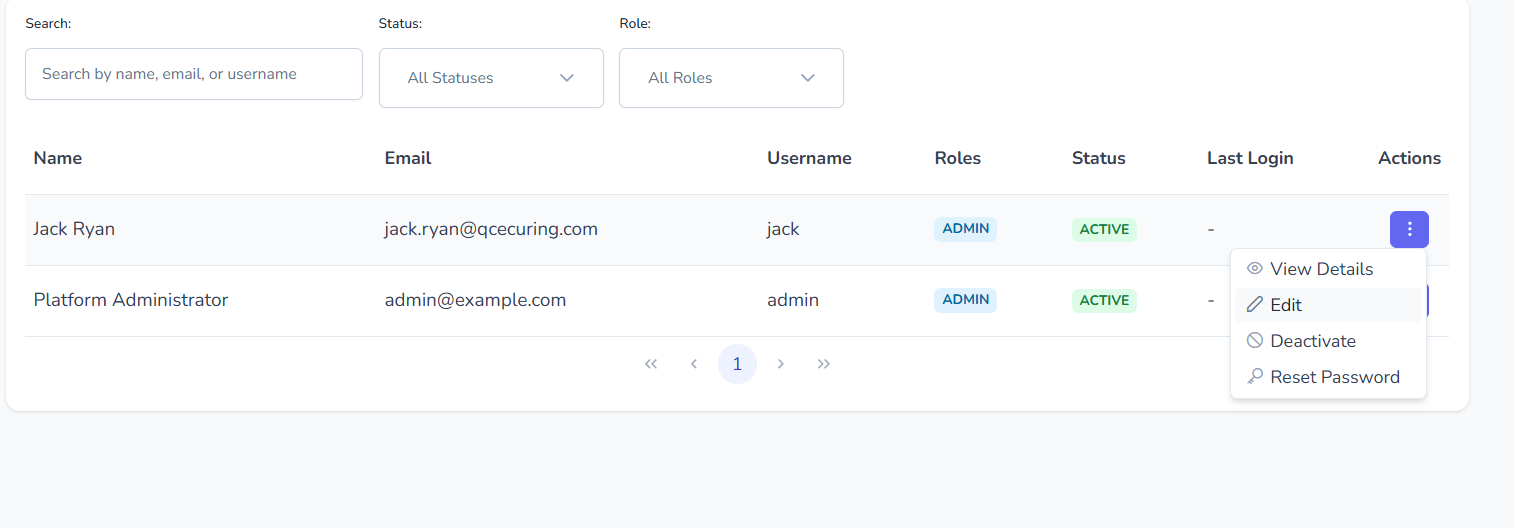
Per-user actions include:
- View details
- Edit user
- Deactivate account
- Reset password
All actions are fully audited.
Create User
Section titled “Create User”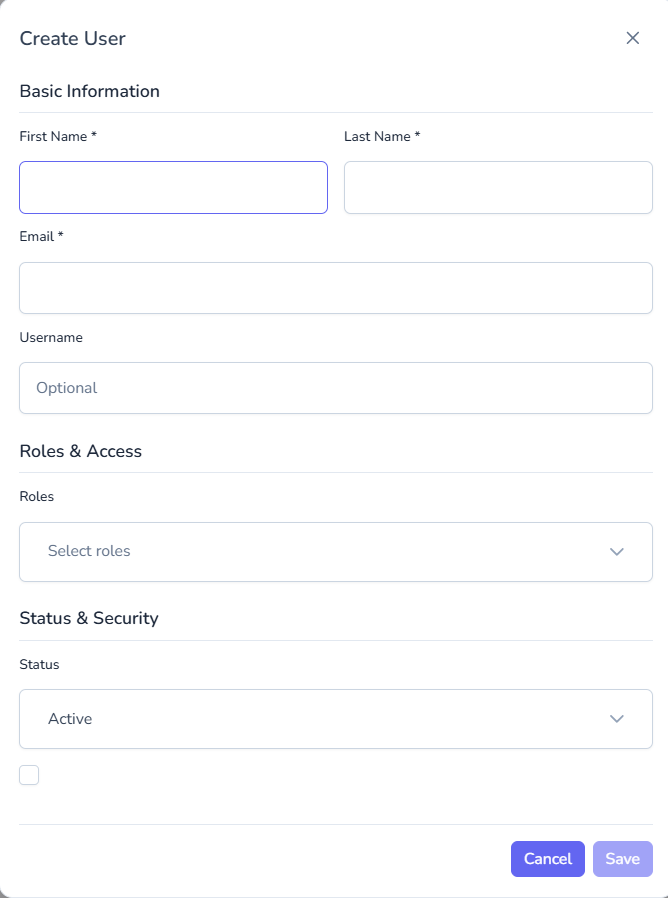
To create a new user:
- Provide first and last name
- Enter email address
- (Optional) Set username
- Assign one or more roles
- Set status (Active / Inactive)
- Save
Users can be provisioned for:
- Developers
- Approvers
- Auditors
- Security administrators
- Platform administrators
Roles & Permissions
Section titled “Roles & Permissions”Roles define what users are allowed to do within the platform.
Roles Inventory
Section titled “Roles Inventory”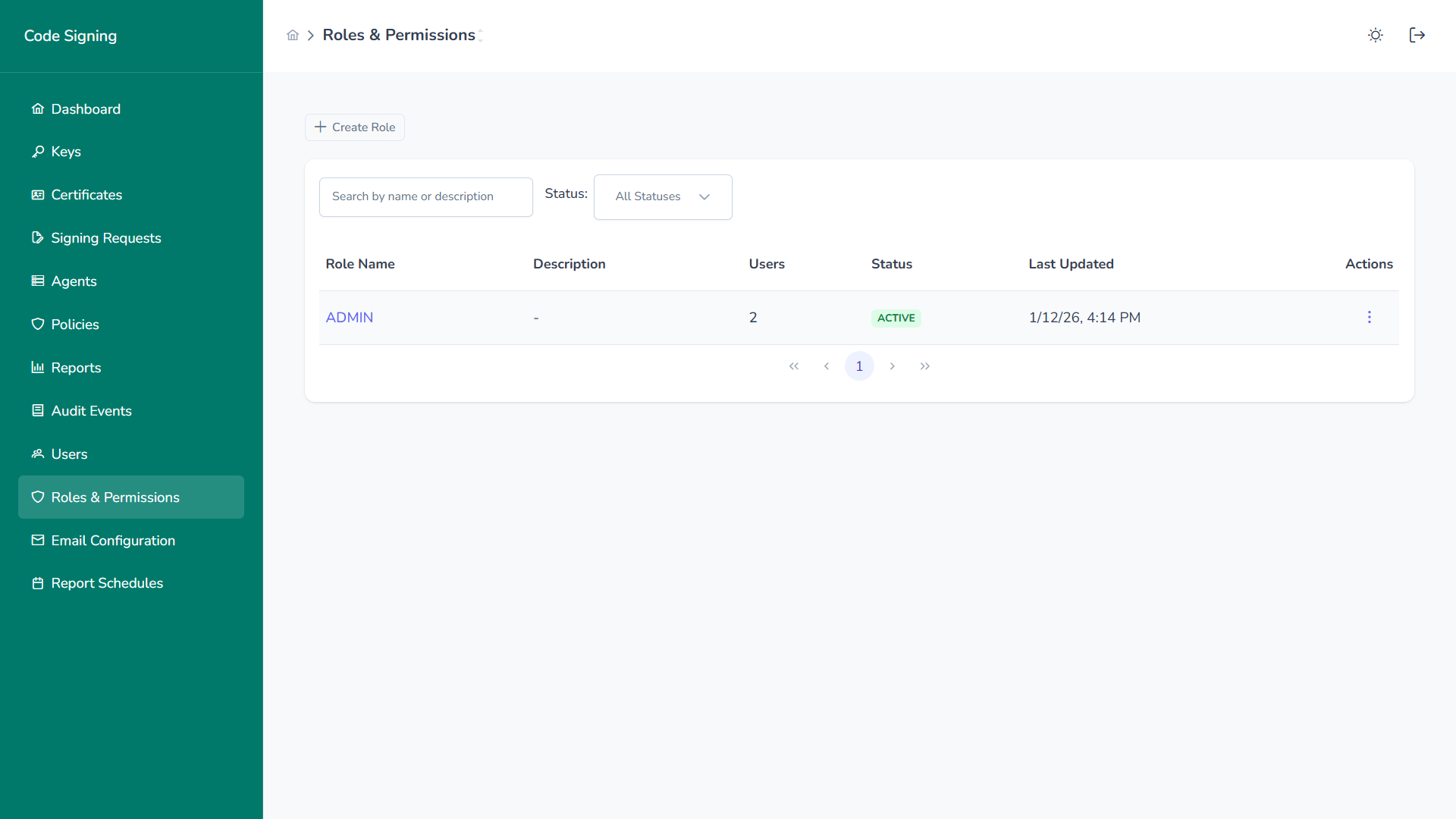
The roles list shows:
- Role name
- Description
- Number of assigned users
- Status
- Last updated timestamp
Create Role
Section titled “Create Role”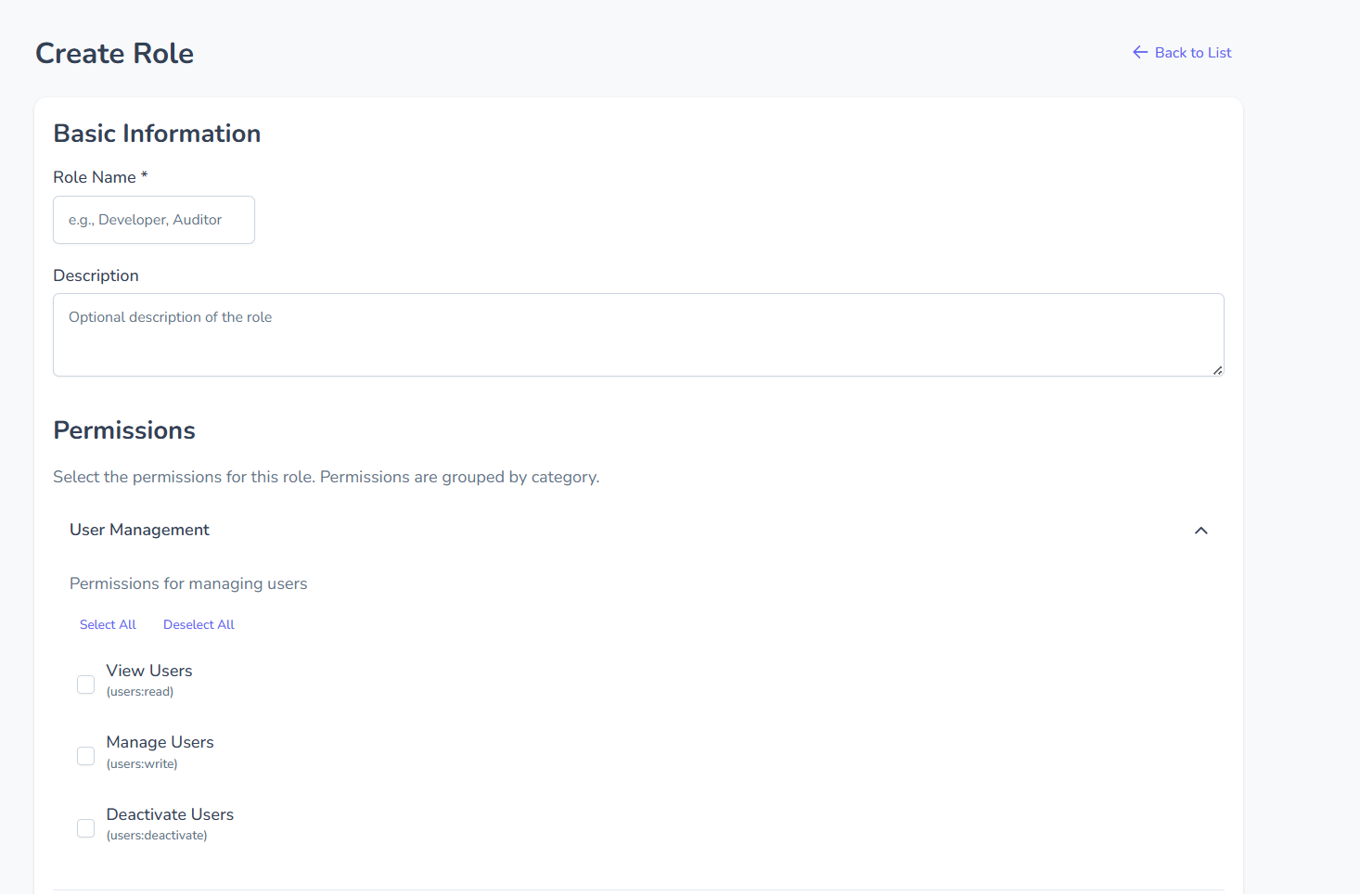
When creating a role:
- Define role name
- Provide optional description
- Select permissions grouped by category
- Activate role
Permissions are granular and grouped by domain (Users, Keys, Policies, Signing, Reports, Agents, etc.).
Role Permissions
Section titled “Role Permissions”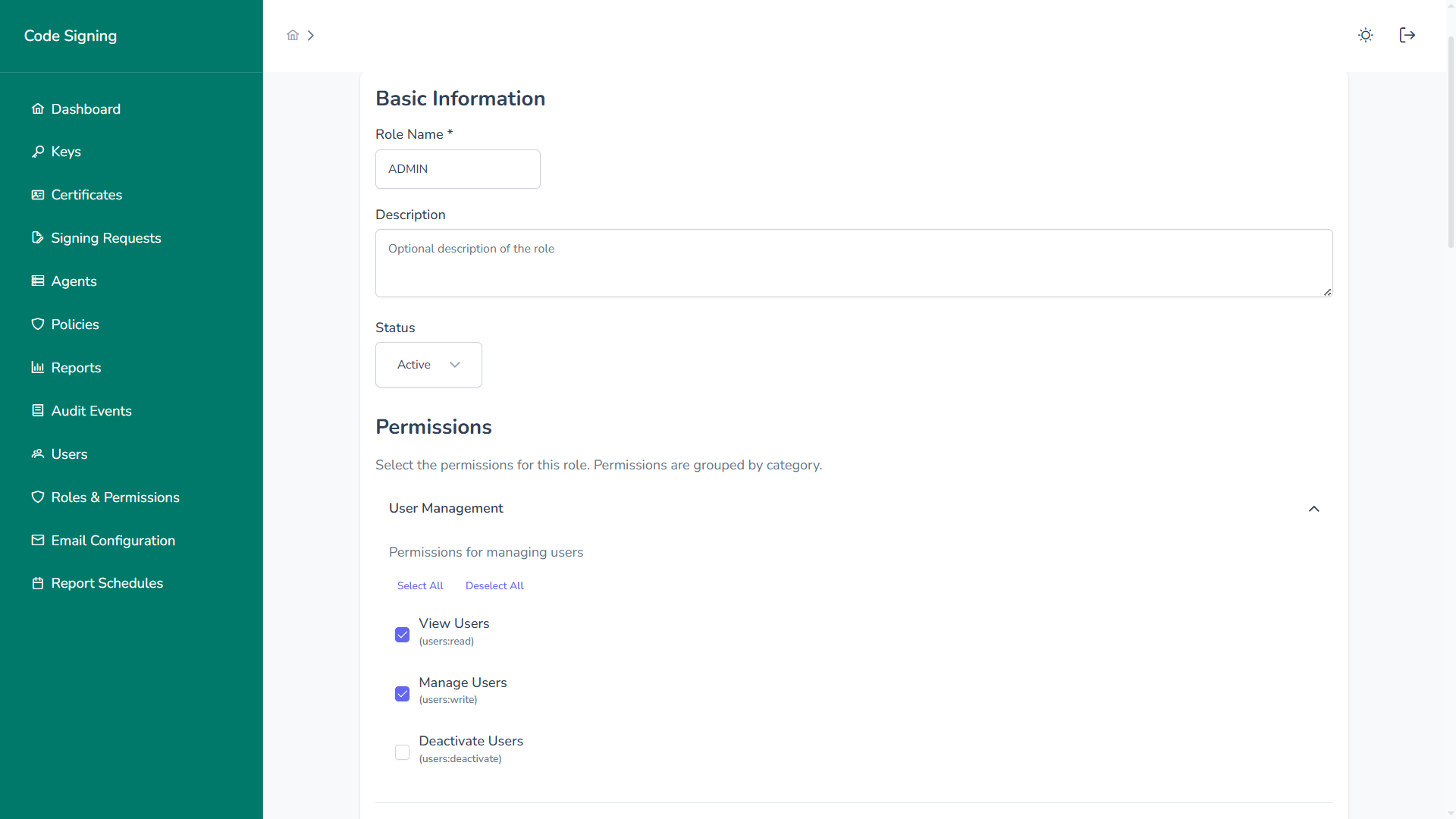
Permissions are assigned at fine-grained levels, such as:
users:readusers:writeusers:deactivatekeys:createkeys:rotatepolicies:writesigning:approveaudit:readreports:generate
Users inherit the union of permissions from all assigned roles.
Role Details
Section titled “Role Details”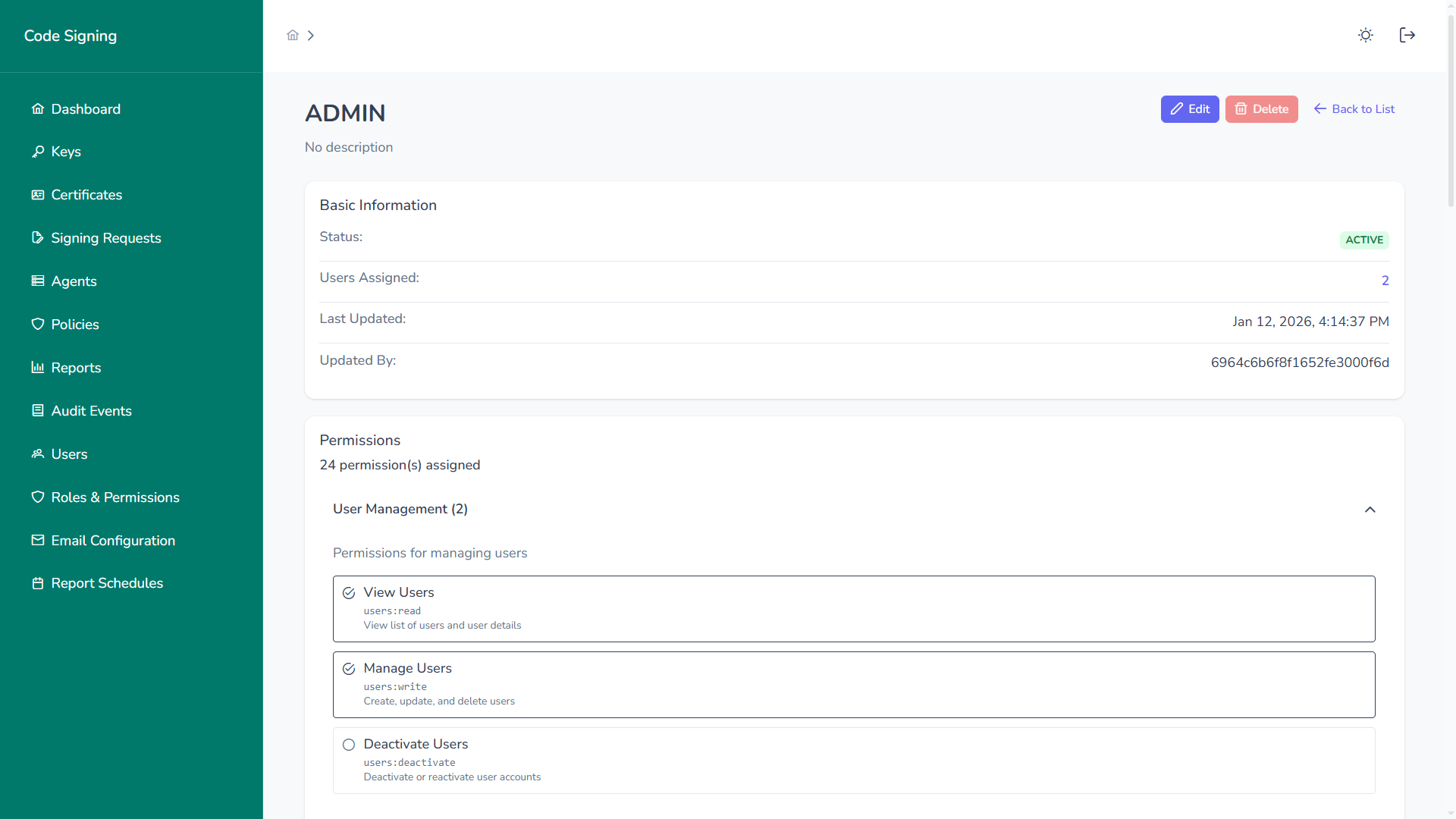
Role detail view displays:
- Status
- Assigned users
- Last updated metadata
- Complete permission list
- Change history (audited)
Access Control Model
Section titled “Access Control Model”The platform enforces:
1. Authentication
Section titled “1. Authentication”- Username/password
- MFA (if enabled)
- SSO integration (SAML / OIDC)
2. Authorization
Section titled “2. Authorization”- Role-based access checks
- Permission-level enforcement
- Deny-by-default security model
3. Audit Logging
Section titled “3. Audit Logging”Every identity-related action is logged:
- User creation
- Role assignment
- Permission changes
- Account deactivation
- Login attempts
Segregation of Duties
Section titled “Segregation of Duties”RBAC enables strict separation between:
- Key administrators
- Signing users
- Approvers
- Auditors
- Platform administrators
For example:
- Developers can request signing but cannot rotate keys
- Approvers can approve but cannot initiate signing
- Auditors can view logs but cannot modify resources
This supports:
- SOC 2
- ISO 27001
- PCI DSS
- NIST frameworks
Security Benefits
Section titled “Security Benefits”The Users & Roles module provides:
- Least Privilege Enforcement
- Clear Accountability
- Centralized Access Control
- Compliance-Ready Access Reviews
- Rapid Access Revocation
Robust identity and access management is foundational to secure enterprise code signing governance.