Logs
The Logs section provides visibility into system activity and SSH key discovery events.
Discovery Logs
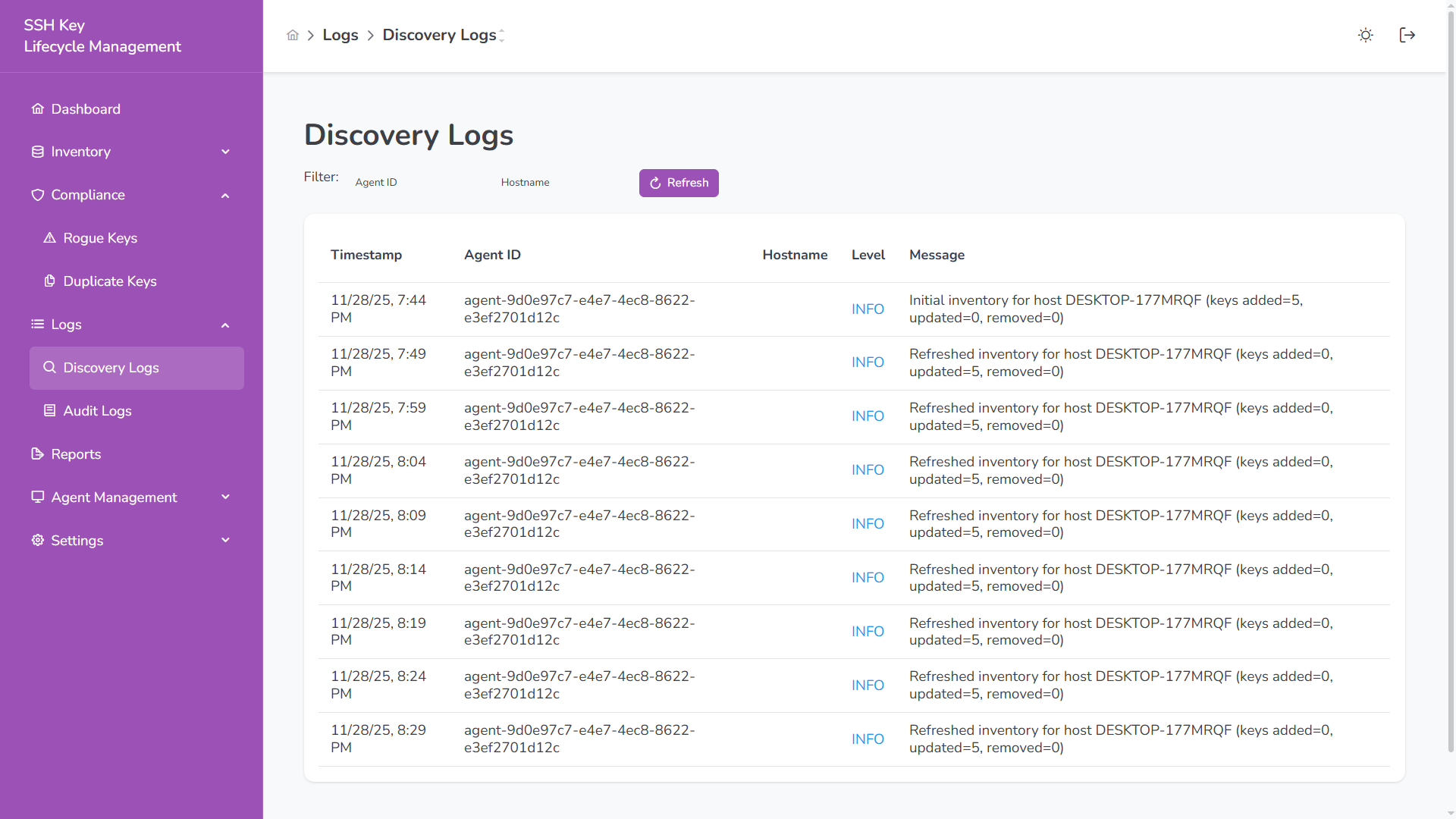
Section titled “Discovery Logs”Discovery logs track SSH key scans executed by agents across hosts.
Displayed Columns
Section titled “Displayed Columns”| Column | Description |
|---|---|
| Timestamp | When the scan executed |
| Agent ID | Agent that performed the scan |
| Hostname | Host that was scanned |
| Level | Log level (INFO, ERROR) |
| Message | Scan summary and results |
Discovery logs help monitor:
- Inventory refresh activity
- Keys added, updated, or removed
- Agent behavior over time
Audit Logs
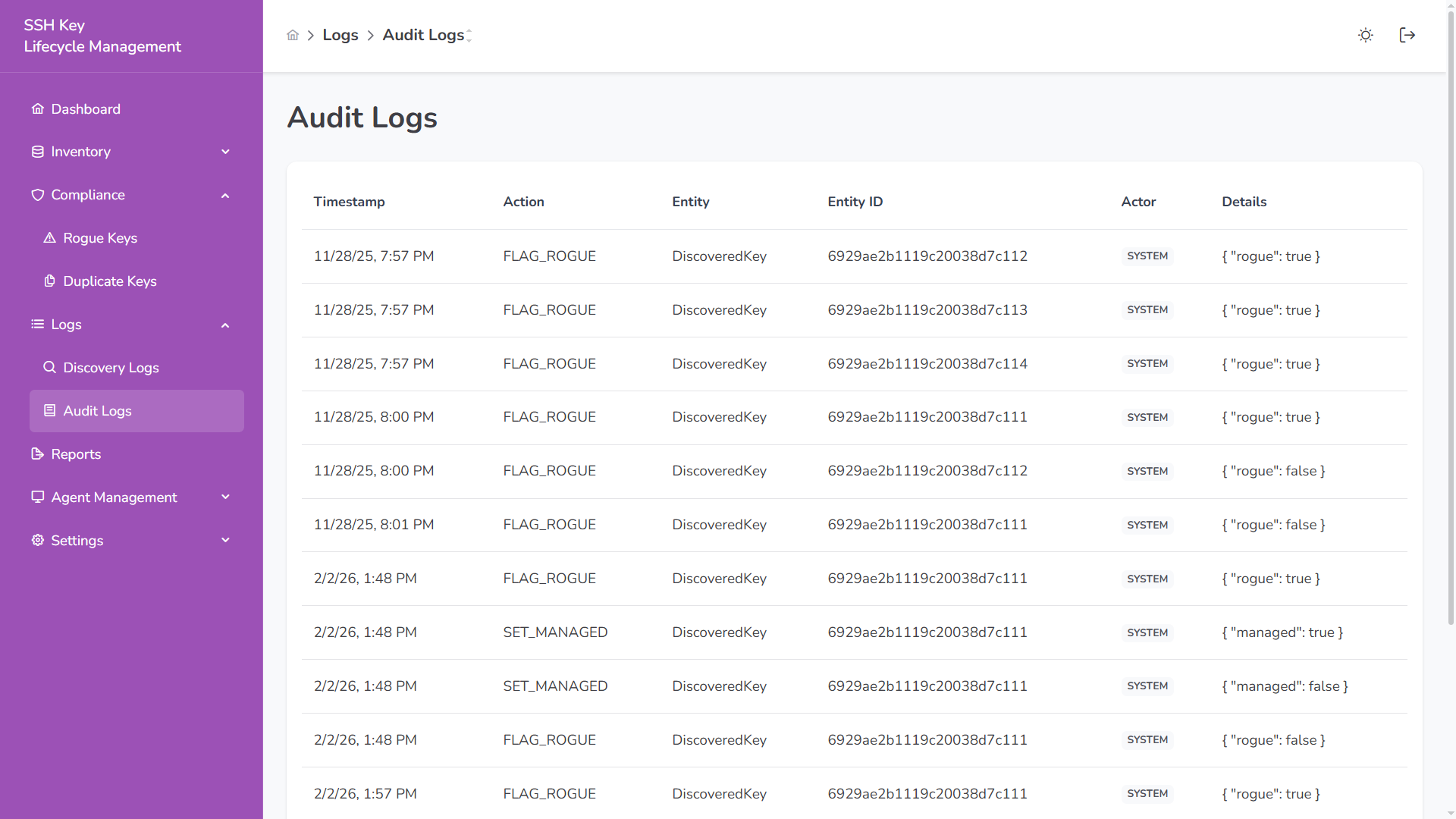
Section titled “Audit Logs”Audit logs record system actions and status changes.
Displayed Columns
Section titled “Displayed Columns”| Column | Description |
|---|---|
| Timestamp | When the event occurred |
| Action | Operation performed (e.g., FLAG_ROGUE, SET_MANAGED) |
| Entity | Affected object type |
| Entity ID | Internal identifier |
| Actor | User or SYSTEM |
| Details | Change metadata |
Audit logs provide traceability for:
- Rogue flagging
- Managed status changes
- System-triggered events
Logs support filtering by time and allow manual refresh for updated activity.