Hosts
The Hosts page lists all registered systems and their associated SSH key metrics.
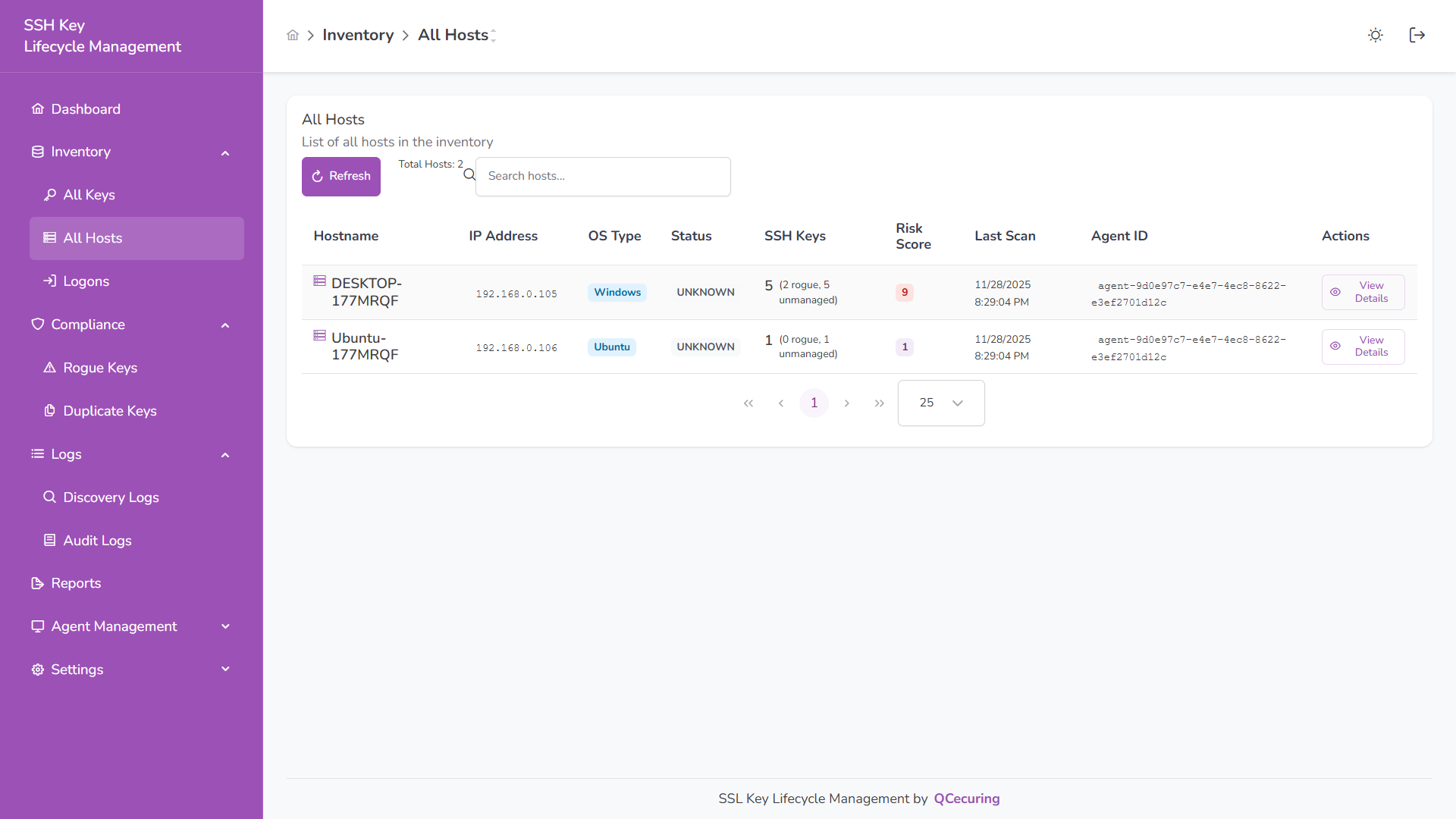
Host Inventory
Section titled “Host Inventory”The table displays:
| Column | Description |
|---|---|
| Hostname | System name |
| IP Address | Primary IP address |
| OS Type | Operating system |
| Status | Agent status |
| SSH Keys | Total keys discovered (including rogue/unmanaged count) |
| Risk Score | Calculated host risk score |
| Last Scan | Most recent discovery time |
| Agent ID | Unique agent identifier |
Host Details
Section titled “Host Details”Click View Details to open the host analysis page.
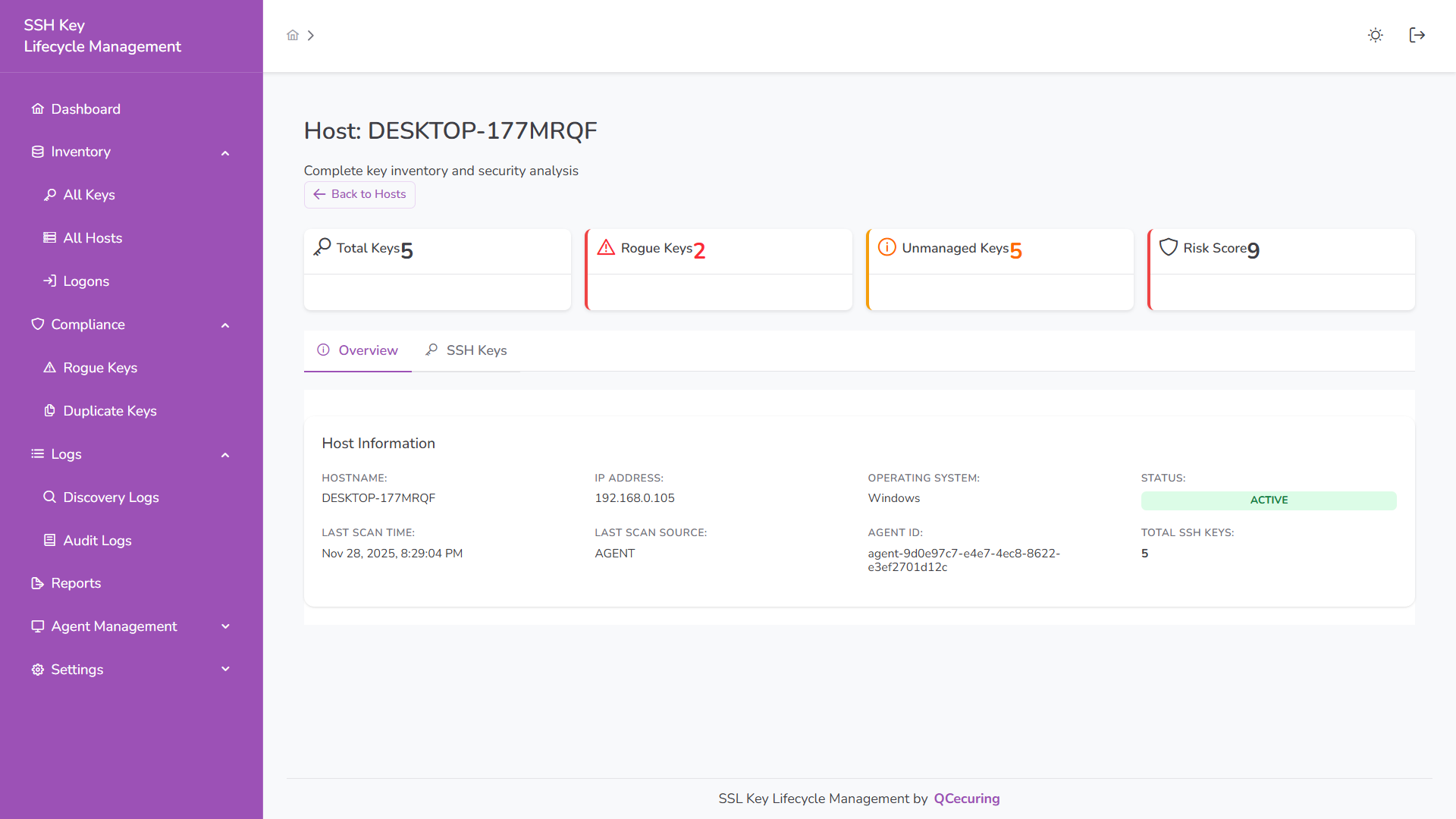
The overview includes:
- Total Keys
- Rogue Keys
- Unmanaged Keys
- Risk Score
- Hostname
- IP Address
- Operating System
- Agent Status
- Last Scan Time
SSH Keys (Per Host)
Section titled “SSH Keys (Per Host)”Switch to the SSH Keys tab to view all keys discovered on that host.
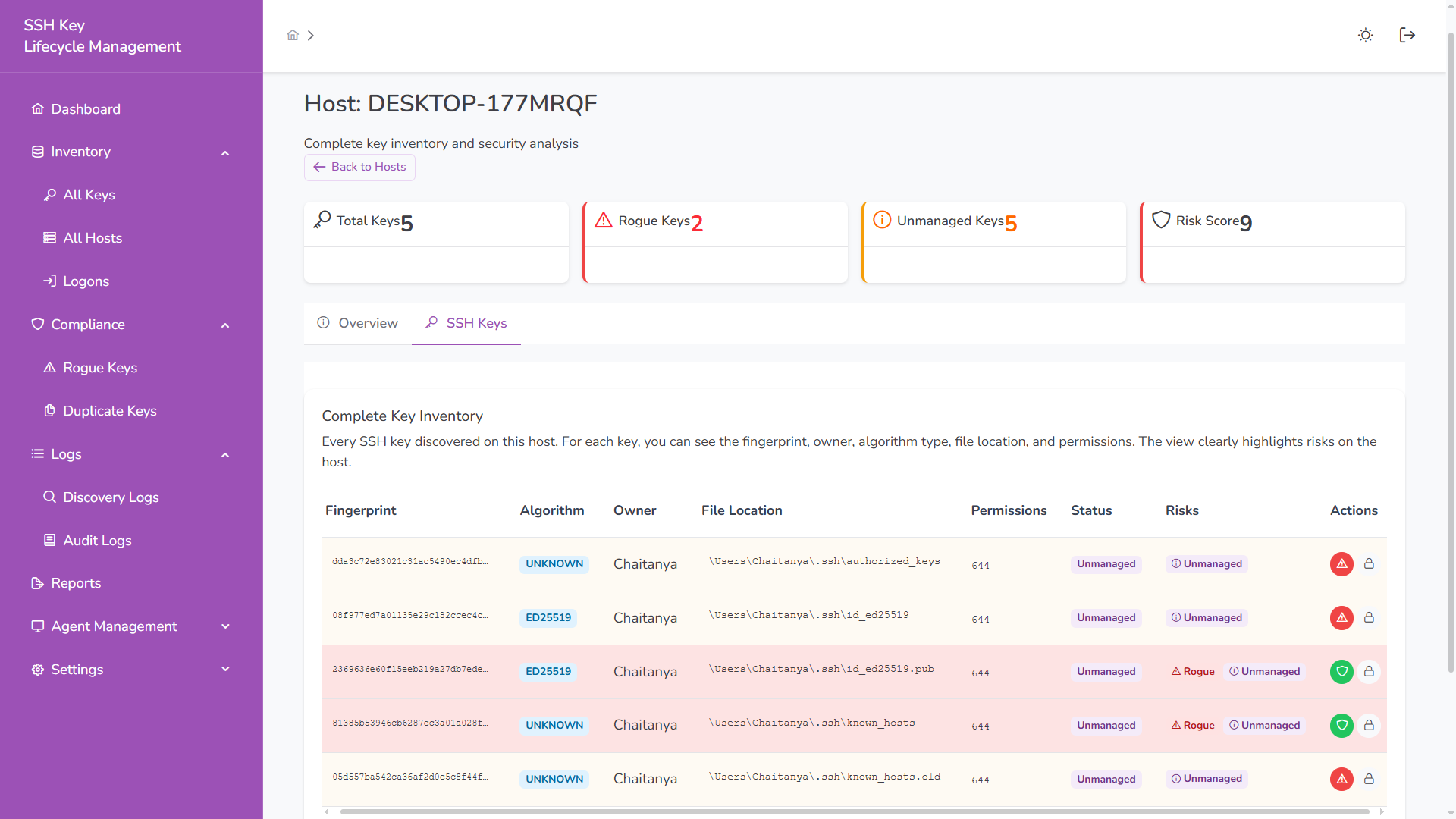
The table includes:
- Fingerprint
- Algorithm
- Owner
- File Location
- Permissions
- Status
- Risk Indicators
Keys marked as Rogue or Unmanaged are visually highlighted.
Logons (Per Host)
Section titled “Logons (Per Host)”The Logons view shows which users can authenticate to which hosts using specific SSH keys.
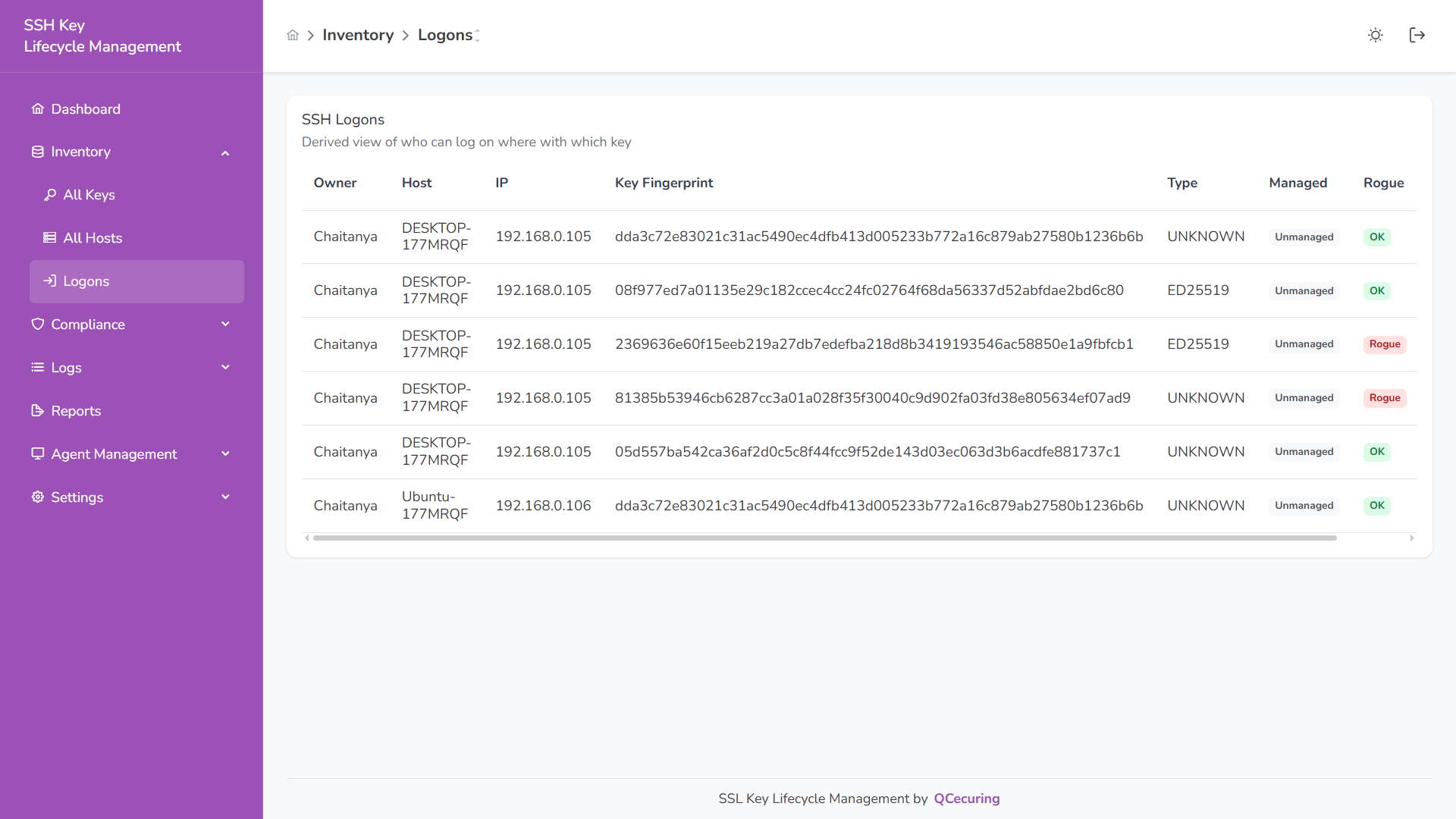
The table includes:
- Owner
- Host
- IP
- Key Fingerprint
- Key Type
- Managed Status
- Rogue Status
Status Indicators
Section titled “Status Indicators”Active – Agent reporting normally
Unknown / Inactive – Agent not reporting
Rogue – Unauthorized key detected
Unmanaged – Key requires review