Agents
Agents
Section titled “Agents”Manage all SSH Key Discovery Agents from the Agent Management section.
Registered Agents
Section titled “Registered Agents”View all active and previously registered agents.
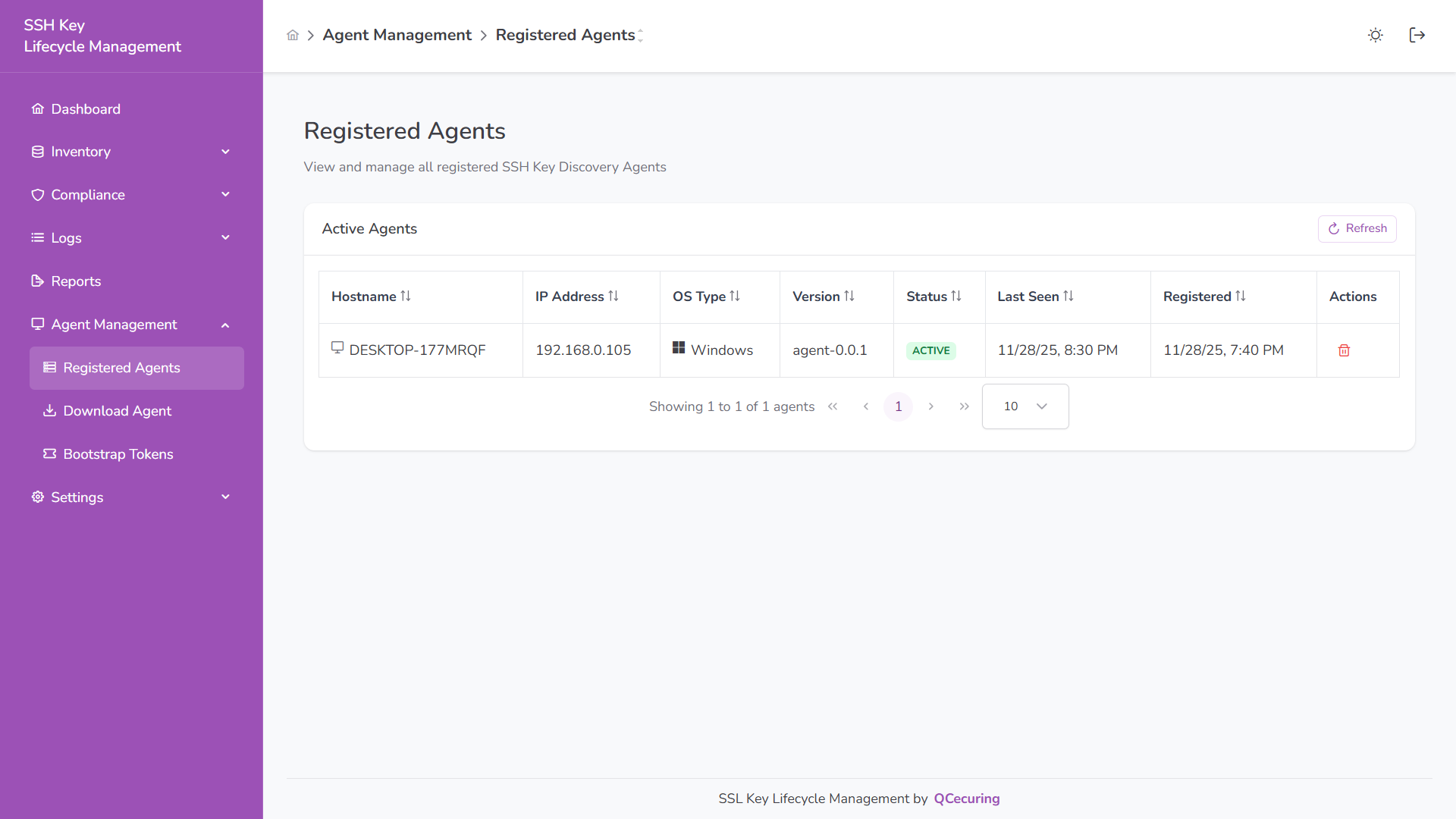
The table displays:
- Hostname
- IP Address
- OS Type
- Agent Version
- Status (ACTIVE / INACTIVE)
- Last Seen
- Registration Time
Use Refresh to update agent status.
Download Agent
Section titled “Download Agent”Download the SSH Key Discovery Agent for installation on target systems.
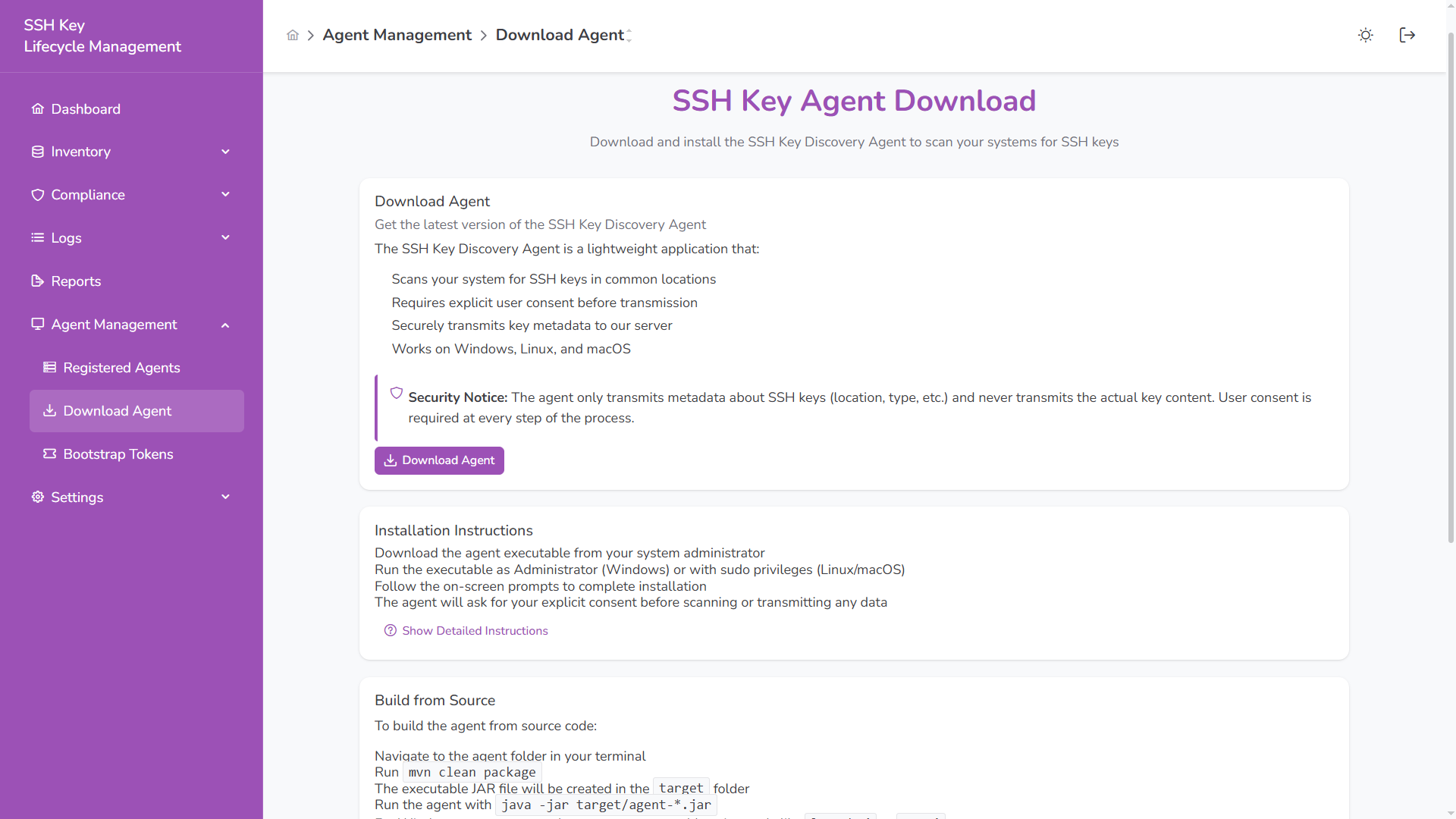
Supported platforms:
- Windows
- Linux
- macOS
The agent:
- Scans local systems for SSH keys
- Sends metadata only (not private key content)
- Communicates securely using mTLS
Bootstrap Tokens
Section titled “Bootstrap Tokens”Bootstrap tokens are used to securely register new agents.
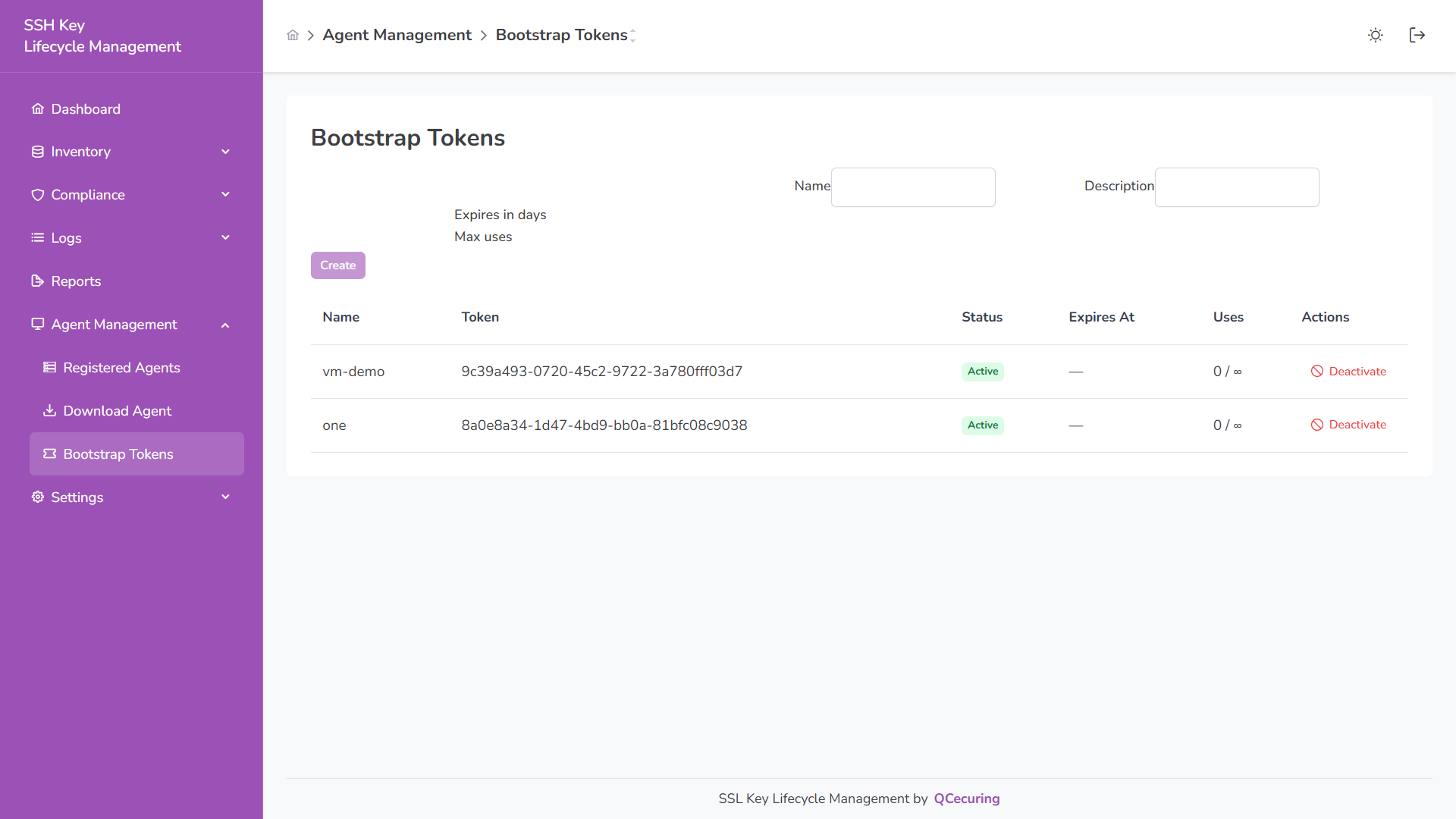
You can:
- Create a token
- Set expiration (days)
- Define maximum uses
- Deactivate tokens
Tokens are required during initial agent registration.
Agent Status
Section titled “Agent Status”ACTIVE – Agent is online and reporting
INACTIVE – Agent has not reported within expected interval
Agents poll the platform at a configurable interval (default: 5 minutes).