Keys
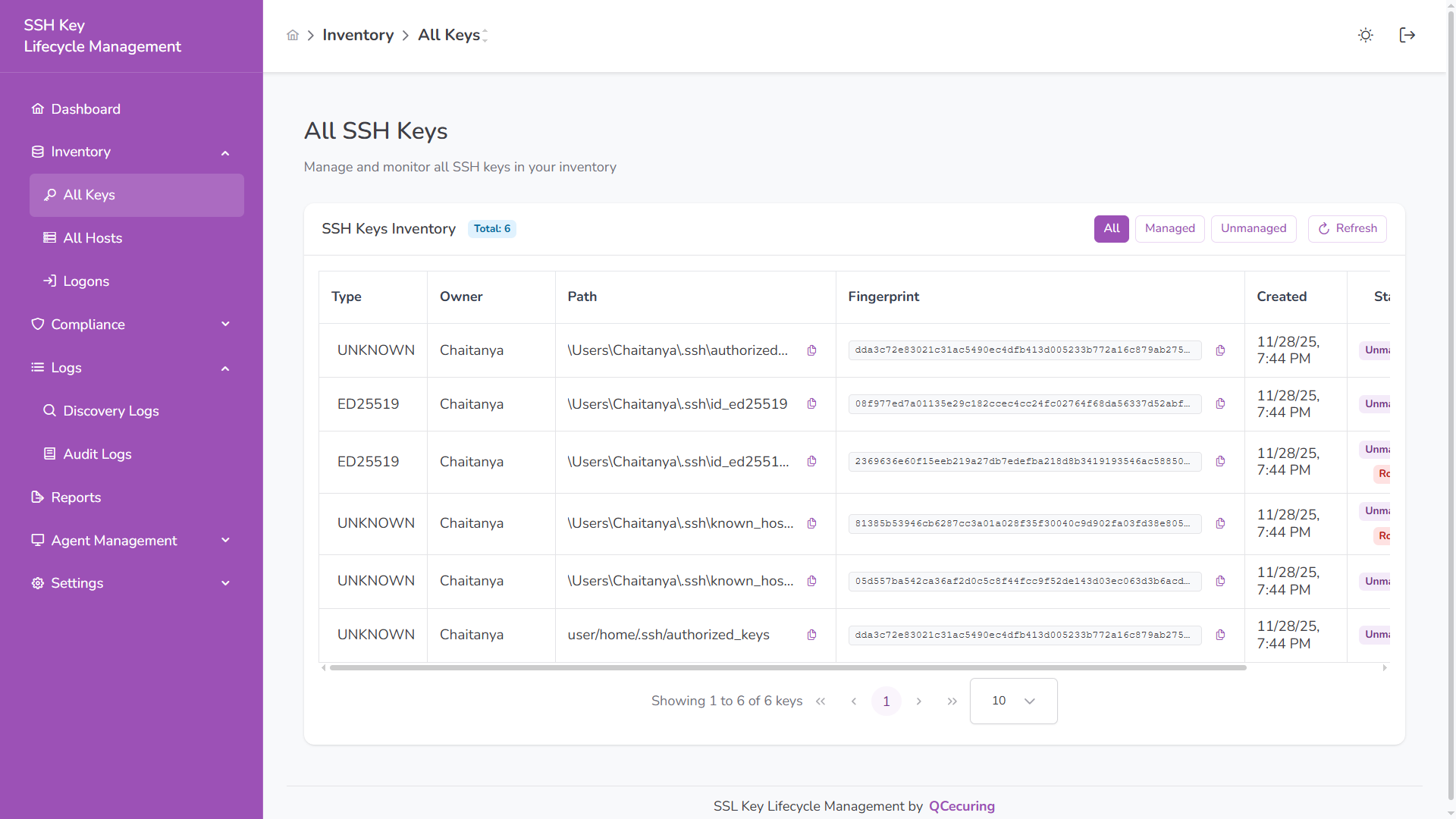
The Keys section provides a unified inventory of all discovered SSH keys, including managed, rogue, and duplicate keys.
Inventory Overview
Section titled “Inventory Overview”The table displays:
| Column | Description |
|---|---|
| Type | Algorithm type (RSA, ED25519, ECDSA, UNKNOWN) |
| Owner | File owner (user account) |
| Path | File location on the host |
| Fingerprint | Unique SHA-256 identifier |
| Created | Key creation timestamp |
| Status | Managed, Unmanaged, Rogue |
Quick filters allow switching between:
- All
- Managed
- Unmanaged
Rogue Keys
Section titled “Rogue Keys”Rogue keys are unauthorized or policy-violating SSH keys detected in the environment.
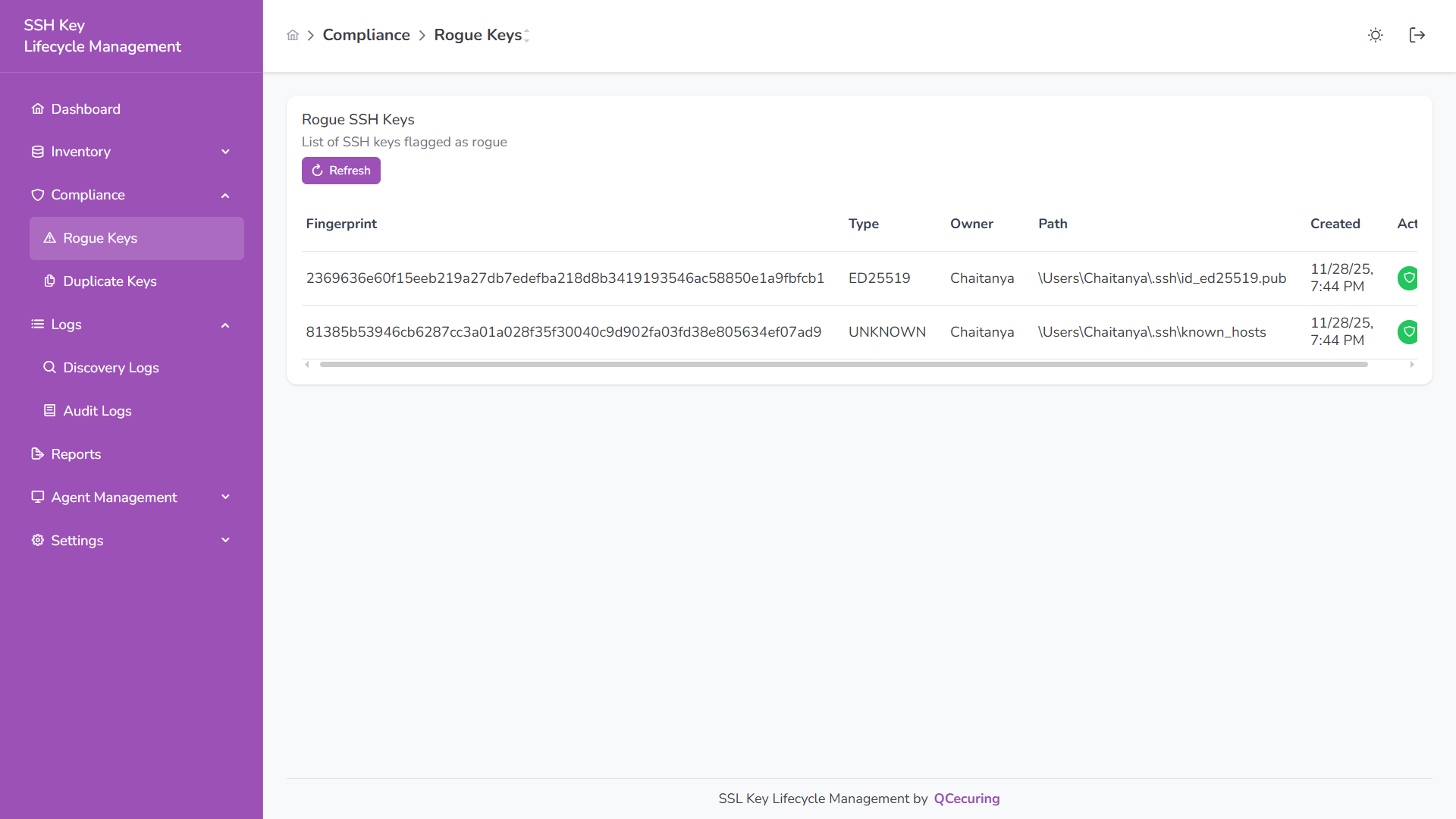
A key is considered rogue when:
- It grants unauthorized access
- It violates policy requirements
- It is manually flagged during review
Rogue keys are visually highlighted for immediate investigation.
Duplicate Keys
Section titled “Duplicate Keys”Duplicate keys share the same fingerprint across multiple hosts, indicating shared credentials.
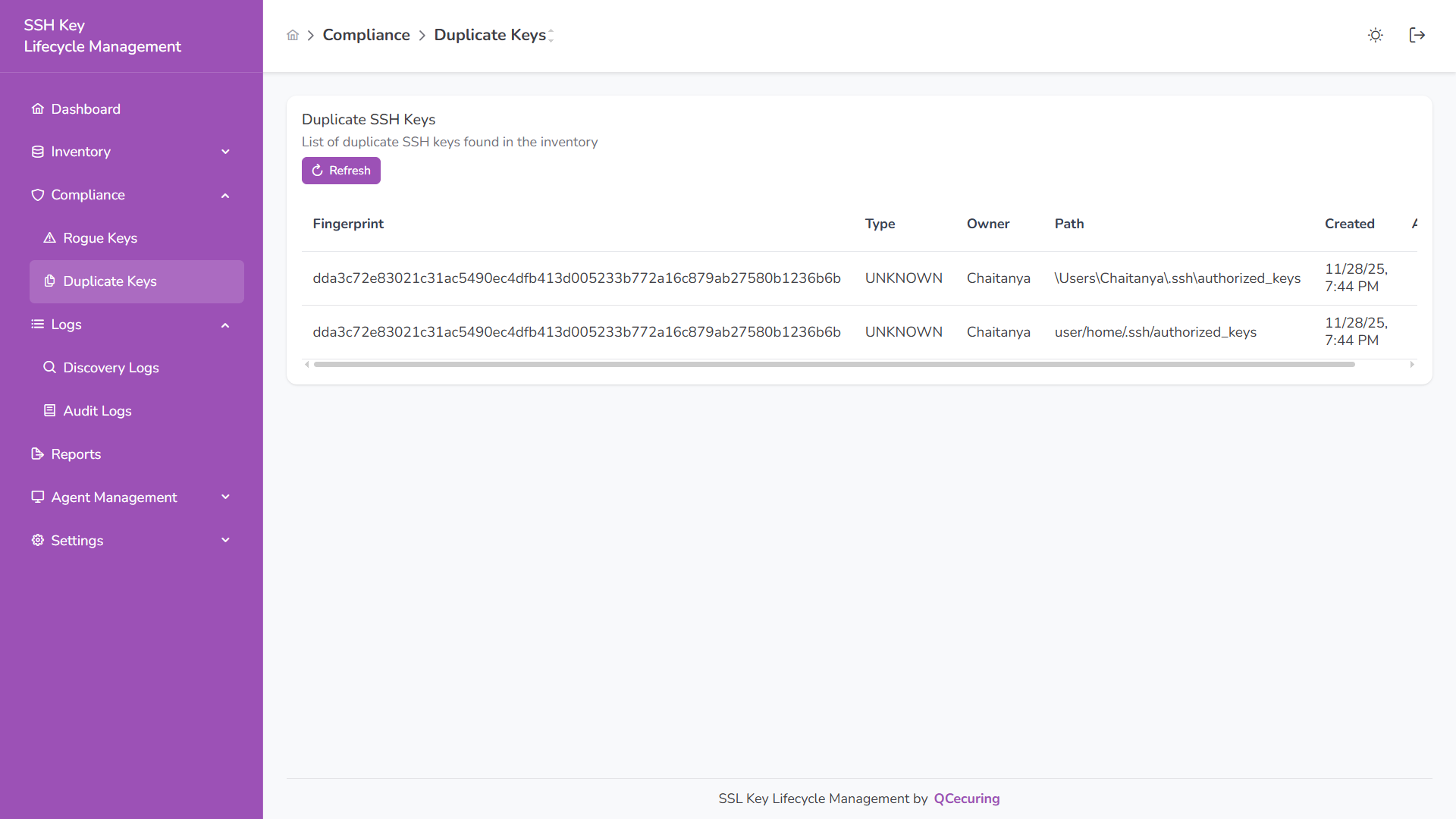
Duplicate detection is fingerprint-based and identifies:
- Same key deployed on multiple systems
- Shared private key usage
- Increased lateral movement risk
Key Details
Section titled “Key Details”Click any key to view:
- Algorithm and fingerprint
- File location and owner
- Host association
- Discovery timestamps
- Current status
Status Classification
Section titled “Status Classification”Managed – Approved and compliant key
Unmanaged – Discovered but not reviewed
Rogue – Unauthorized or policy-violating key
Search & Pagination
Section titled “Search & Pagination”- Search by fingerprint, owner, path, or type
- Manual refresh available
- Pagination controls for large inventories