Reports
Reports
Section titled “Reports”The Reports page allows you to generate SSH key inventory reports and export them as Excel or CSV.
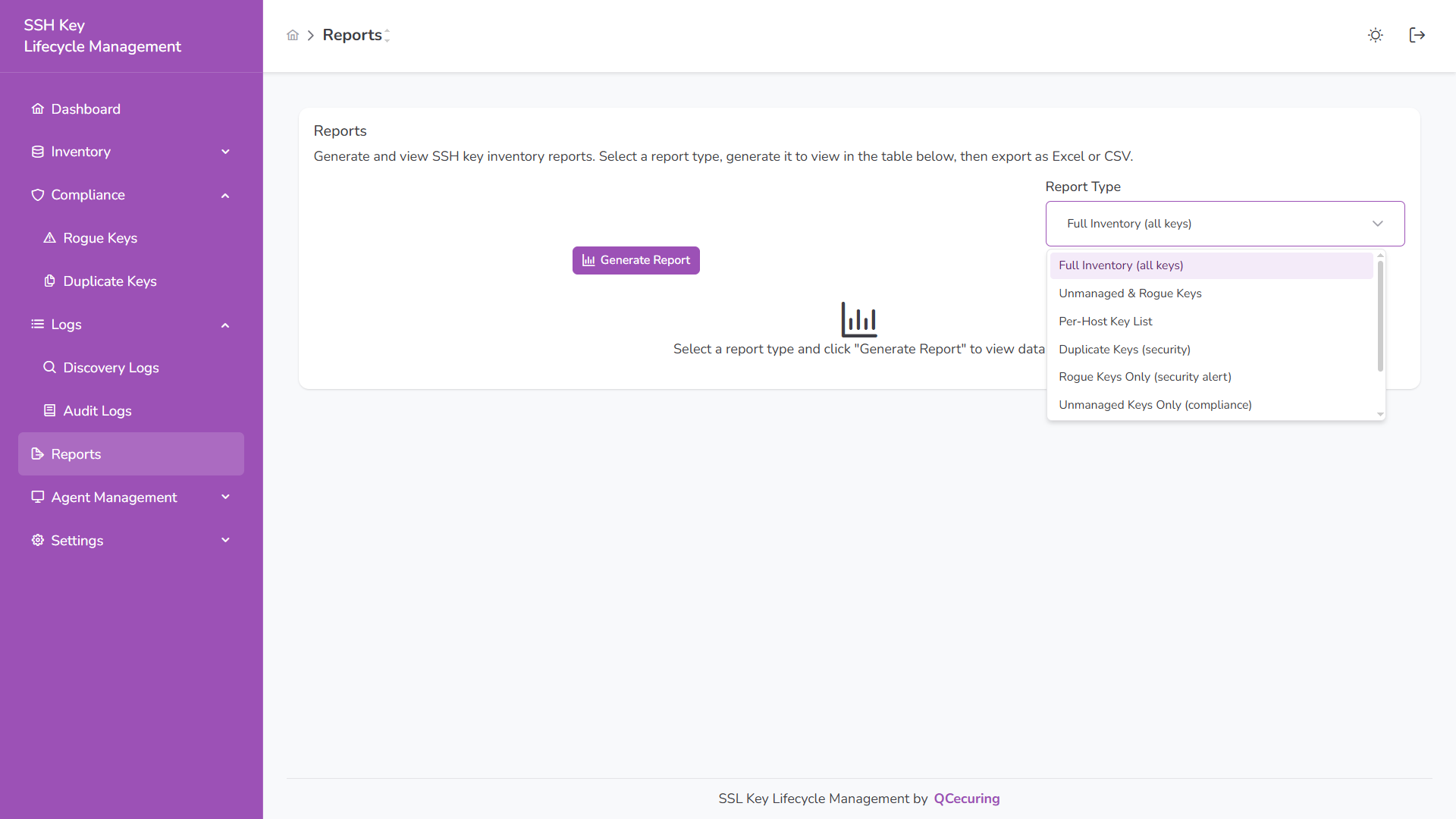
Generate Report
Section titled “Generate Report”- Select a Report Type
- Click Generate Report
- View results in the table
- Export to Excel or CSV
Available Report Types
Section titled “Available Report Types”- Full Inventory (all keys)
- Unmanaged & Rogue Keys
- Per-Host Key List
- Duplicate Keys (security)
- Rogue Keys Only (security alert)
- Unmanaged Keys Only (compliance)
Full Inventory Report
Section titled “Full Inventory Report”Displays all discovered SSH keys with metadata.
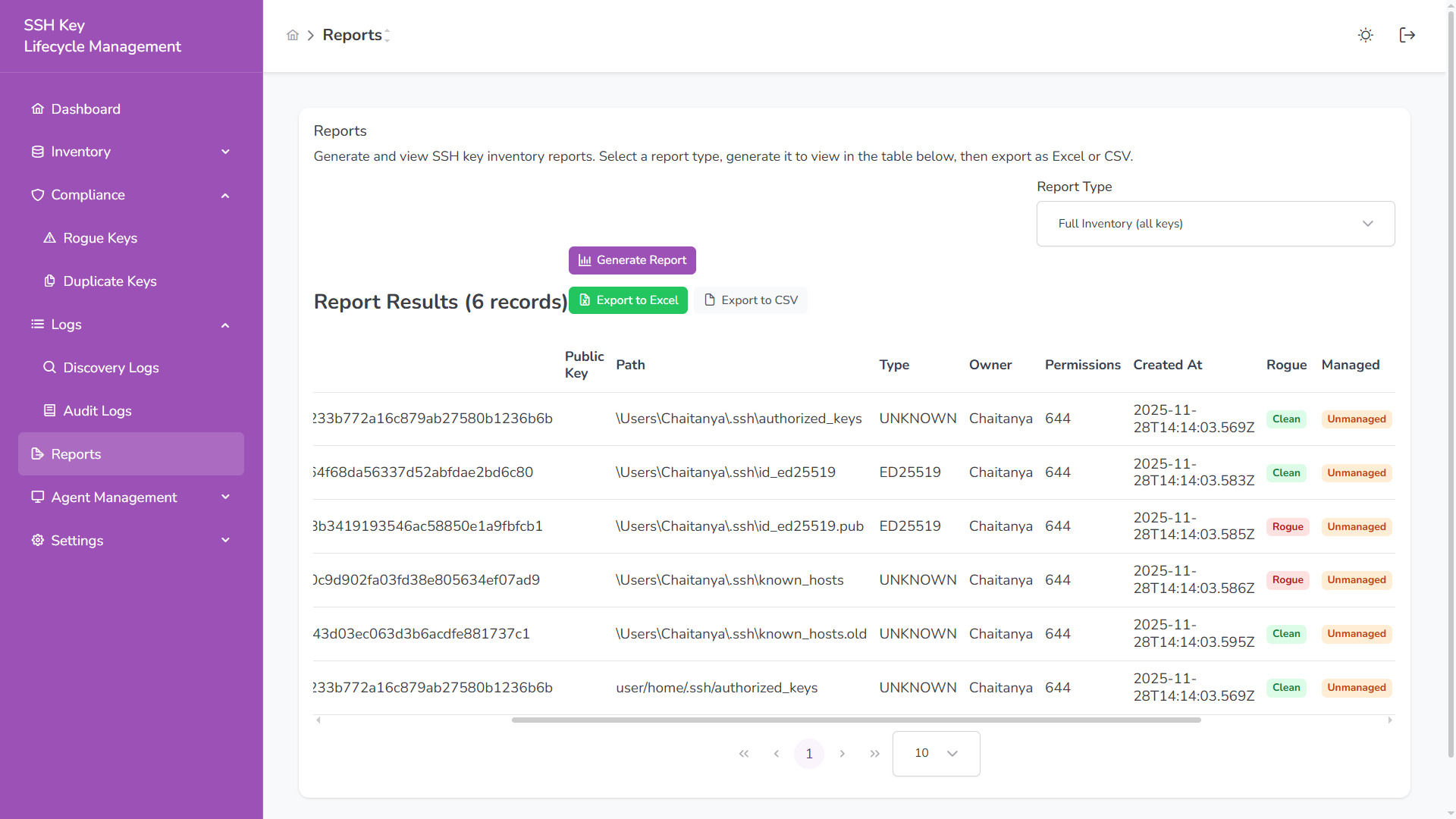
Includes:
- Public Key (Fingerprint)
- Path
- Type
- Owner
- Permissions
- Created At
- Rogue Status
- Managed Status
Per-Host Key List
Section titled “Per-Host Key List”Shows key counts grouped by host.
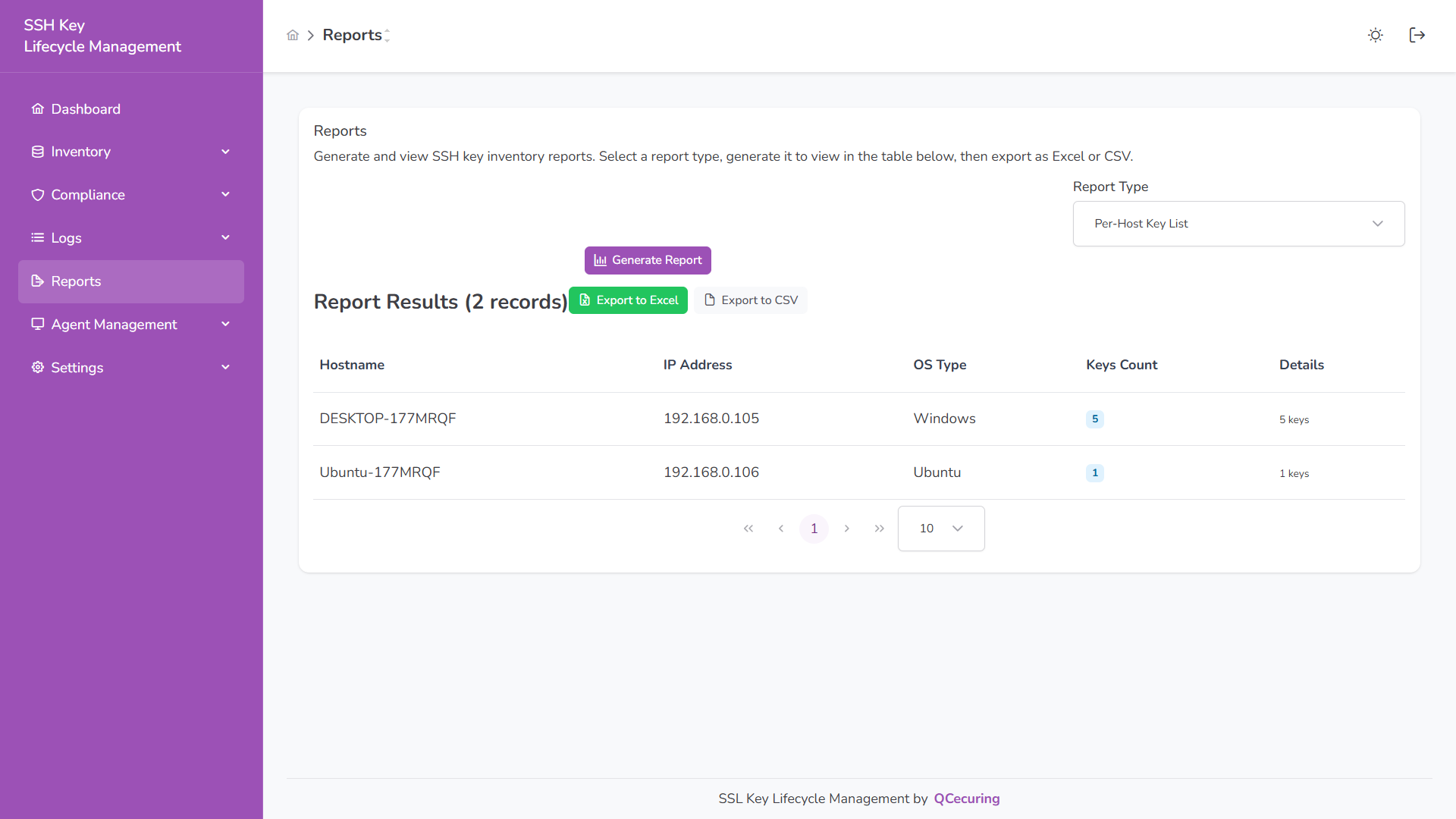
Includes:
- Hostname
- IP Address
- OS Type
- Keys Count
Export
Section titled “Export”After generating a report:
- Export to Excel
- Export to CSV
Exports reflect the currently generated report results.