Policies
Policies
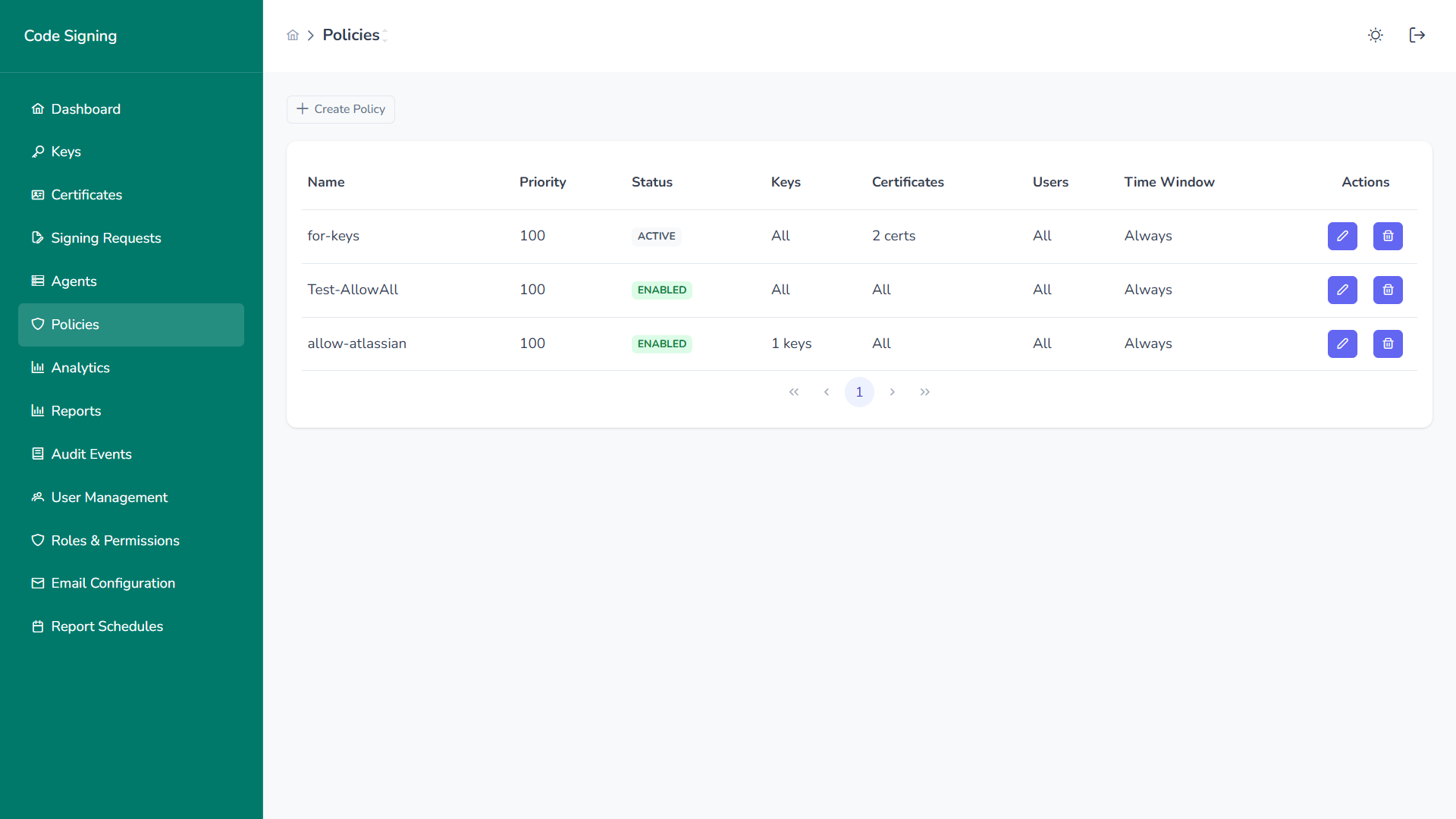
Section titled “Policies”The Policies section enforces governance rules that control how, when, and by whom signing operations can be performed.
Overview
Section titled “Overview”Policies define:
- Who can sign
- Which keys can be used
- Which certificates are allowed
- What artifacts can be signed
- When signing is permitted
- Whether approval is required
Policies are evaluated before every signing request.
Policy Inventory
Section titled “Policy Inventory”Each policy displays:
- Name
- Priority
- Status
- Keys Scope
- Certificates Scope
- Users Scope
- Time Window
- Actions (Edit / Delete)
Higher priority policies are evaluated first.
Create or Edit Policy
Section titled “Create or Edit Policy”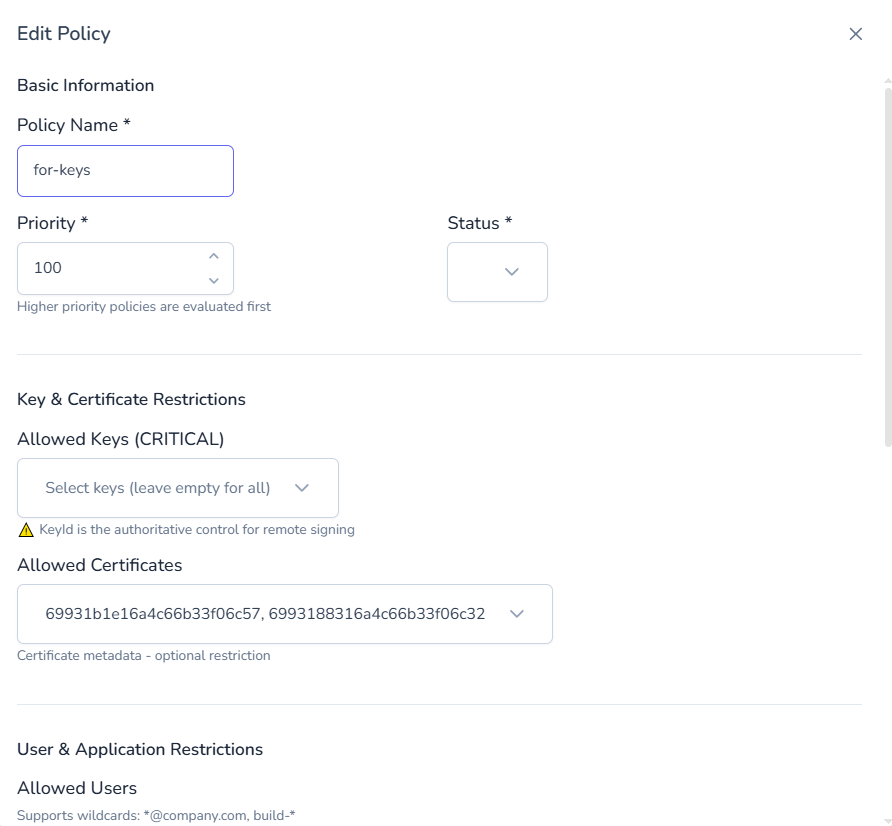
Basic Information
Section titled “Basic Information”- Policy Name
- Priority
- Status (Enabled / Disabled)
Key & Certificate Restrictions
Section titled “Key & Certificate Restrictions”Allowed Keys (CRITICAL)
Section titled “Allowed Keys (CRITICAL)”- Select specific keys
- Leave empty to apply to all keys
- Key ID acts as authoritative control
Allowed Certificates
Section titled “Allowed Certificates”- Restrict by certificate metadata
- Optional constraint layer
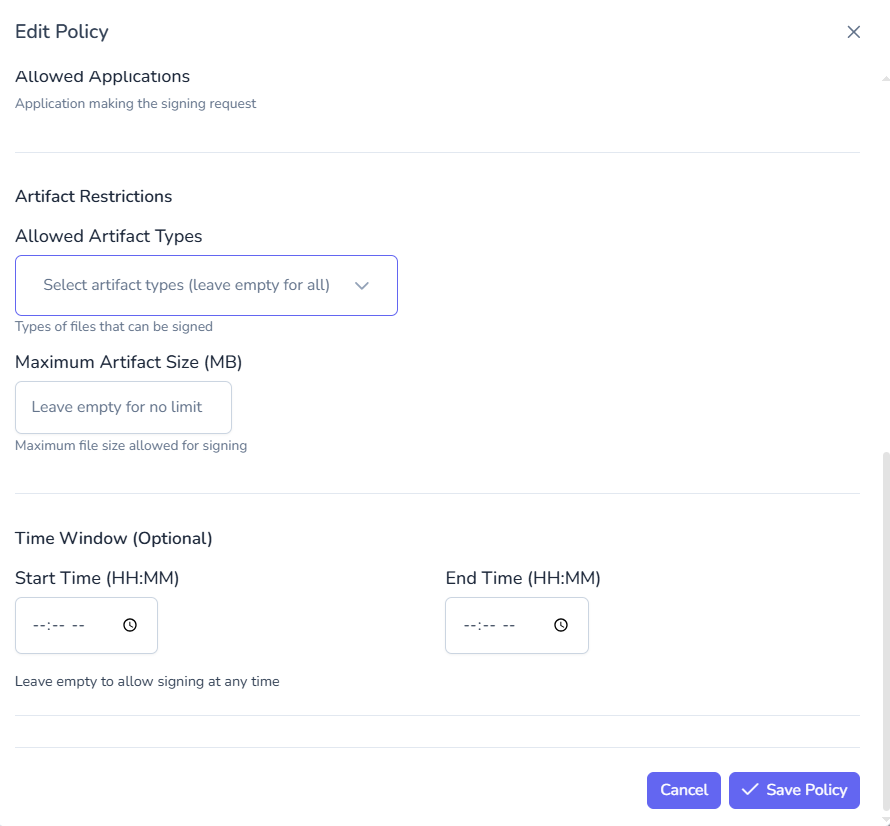
Artifact Restrictions
Section titled “Artifact Restrictions”- Allowed artifact types
- Maximum artifact size (MB)
- Optional file-type enforcement
User & Application Restrictions
Section titled “User & Application Restrictions”- Allowed users
- Wildcard support (e.g.,
*@company.com) - Service accounts and CI/CD identities
Time Window Controls
Section titled “Time Window Controls”- Start Time (HH:MM)
- End Time (HH:MM)
- Leave empty for unrestricted access
Supports business-hour or maintenance-window enforcement.
Policy Evaluation Flow
Section titled “Policy Evaluation Flow”When a signing request is received:
- Platform identifies associated key
- Applicable policies are retrieved
- Policies evaluated by priority
- Approval requirement determined
- Decision: Allow / Require Approval / Deny
All evaluations are fully audited.
Governance Impact
Section titled “Governance Impact”Policies enable:
- Separation of duties
- Dual control approval workflows
- Least privilege enforcement
- Risk-based signing controls
- Compliance readiness (SOC2, ISO 27001, NIST)