Jobs
The Jobs page displays all background operations processed by the platform — certificate issuance, renewals, deployments, discovery scans, CA refreshes, and more.
Navigation: Sidebar → Jobs
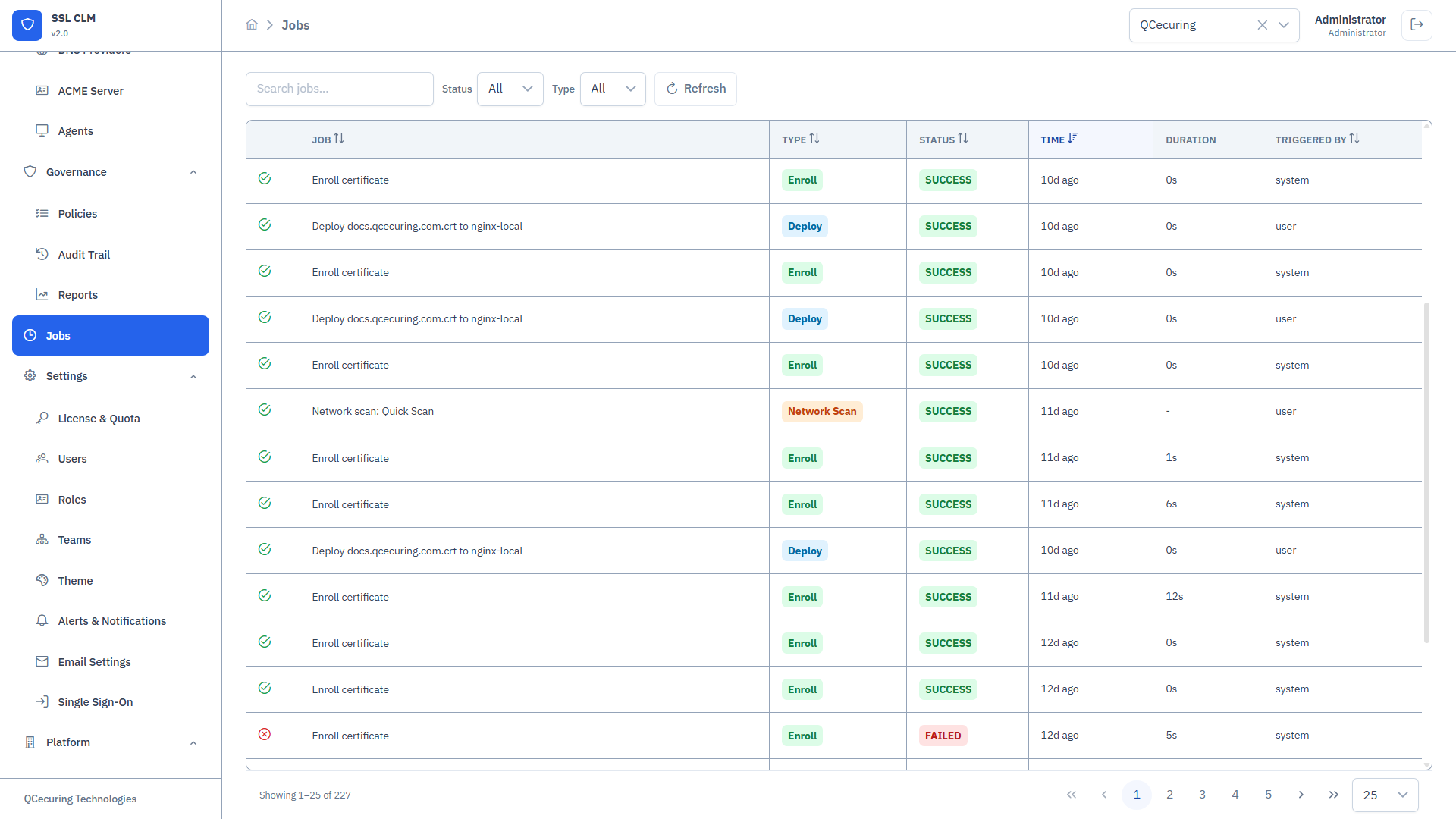
Jobs Table
Section titled “Jobs Table”| Column | Description |
|---|---|
| Job ID | Unique identifier |
| Name | Descriptive name (e.g., “Issue cert for api.example.com”) |
| Type | Job category (see Job Types below) |
| Status | Current state: QUEUED, RUNNING, SUCCESS, FAILED |
| CA / Store | Related CA or Store (if applicable) |
| Agent | Agent that executed (or will execute) the job |
| Triggered By | Who initiated: username, “System”, or “Scheduler” |
| Scheduled | When the job was created |
| Started | When execution began |
| Completed | When execution finished |
| Duration | Execution time |
Job Types
Section titled “Job Types”| Type | Description |
|---|---|
ISSUE_CERT | Certificate issuance via a CA |
RENEW_CERT | Certificate renewal |
REVOKE_CERT | Certificate revocation |
DEPLOY_CERT | Certificate deployment to a store |
CA_REFRESH | Inventory sync from a CA |
DISCOVER_NETWORK | Network-based TLS discovery scan |
DISCOVER_STORE | Store-level certificate discovery |
DISCOVER_CA | CA-level certificate inventory comparison |
VALIDATE_DEPLOYMENT | Post-deployment validation check |
BIND_CERT | Bind certificate to service endpoint |
Job Statuses
Section titled “Job Statuses”| Status | Color | Meaning |
|---|---|---|
| QUEUED | Gray | Job created, waiting for execution |
| RUNNING | Blue | Currently being executed |
| SUCCESS | Green | Completed successfully |
| FAILED | Red | Execution failed — see error details |
Job Detail View
Section titled “Job Detail View”Click any job row to see its full details:
Metadata
Section titled “Metadata”| Field | Description |
|---|---|
| Job ID | Unique identifier |
| Name | Operation description |
| Type | Job type |
| Status | Current state |
| CA ID | Associated Certificate Authority |
| Store ID | Associated Certificate Store |
| Agent ID | Agent that executed the job |
| Triggered By | Initiator (user, system, scheduler) |
| Scheduled At | Job creation time |
| Started At | Execution start time |
| Completed At | Execution end time |
| Duration | Total execution time |
Input Payload
Section titled “Input Payload”The input data provided to the job (e.g., CSR PEM for issuance, certificate ID for deployment).
Output / Result
Section titled “Output / Result”For successful jobs:
{ "certificateId": "cert-abc123", "serialNumber": "1A2B3C4D5E6F", "externalRequestId": "ca-req-789"}For failed jobs:
{ "error": "Connection refused", "details": "Unable to reach CA endpoint at https://ca.internal:9000", "retryable": true}Actions
Section titled “Actions”- Retry — Re-queue a failed job (if retryable)
- Cancel — Cancel a queued job (before execution starts)
Filtering & Search
Section titled “Filtering & Search”- Status filter — Show only QUEUED, RUNNING, SUCCESS, or FAILED jobs
- Type filter — Filter by job type
- Date range — Filter by scheduled/completed date
- Search — Free text search by job name, ID, or related entity
Job Lifecycle
Section titled “Job Lifecycle”QUEUED → RUNNING → SUCCESS → FAILED (→ retry → QUEUED)- Job is created when an operation is triggered (manually or by scheduler)
- Platform assigns the job to the appropriate executor (agent or backend)
- Executor picks up the job and begins processing
- On completion, result is reported back
- Status updated to SUCCESS or FAILED
- Audit log entry created
Retry Logic
Section titled “Retry Logic”Failed jobs with retryable: true can be retried:
- Click Retry in the job detail view
- The job re-enters QUEUED status
- Default retry limit: 3 attempts
- Exponential backoff between retries
Non-retryable failures (e.g., invalid credentials, policy violation) require manual intervention.
Scheduled Jobs
Section titled “Scheduled Jobs”Some jobs are created automatically by the scheduler:
| Trigger | Job Created |
|---|---|
| CA refresh interval elapsed | CA_REFRESH |
| Certificate enters renewal window | RENEW_CERT |
| Saved discovery scan cron fires | DISCOVER_NETWORK |
| Auto-deploy after renewal | DEPLOY_CERT |
| Agent heartbeat timeout | Status update (not a job, but generates alert) |
Operational Best Practices
Section titled “Operational Best Practices”- Check for FAILED jobs and investigate root causes
- Monitor RUNNING jobs that have been executing for an unusually long time
Weekly
Section titled “Weekly”- Review job success rates by type
- Identify recurring failures (same CA, same agent, same store)
Monitoring
Section titled “Monitoring”- Failed job count is surfaced on the Dashboard health panel
- Configure alerts for job failures via Settings → Alerts & Notifications
Related Pages
Section titled “Related Pages”- Certificates — Issuance and renewal jobs
- Certificate Stores — Deployment jobs
- Certificate Authorities — CA refresh jobs
- Discovery — Discovery scan jobs
- Agents — Agent-executed jobs
- Audit Trail — Full event history